

Biolovers does not find or generate lyrics automatically. The audio and its lyrics need to match the same recording: original, live, remix, sped-up, and slowed versions can all have different timing.
Show lyrics
1
Upload your track
Add an audio file in Music → Tracks & lyrics. See Background music for formats and file limits.
2
Add lyric data if needed
Expand the track’s settings. If the audio already contains usable lyrics, they are available here. Otherwise, click Upload .lrc and select a matching timed file from your device. The maximum LRC size is 256 KiB.
3
Enable and style
Turn on Show lyrics and choose Glass, Karaoke, or Minimal. Use Preview player on profile to check the saved appearance, then open your public page and play the track to check synchronization.
The saved preview shows your actual player and lyric style, but its playback controls are disabled. Sound is off in preview. Open your public page to test playback and timing. The preview defaults to Phone width at 390 px and updates after changes save.For a playlist, open that track’s details or choose it in Player style → Preview song. The preview then shows that song’s lyrics without changing your public playlist order.
Where to get an LRC
SpotMP3’s homepage FAQ says synced lyrics are separate files when available and that its matched audio can differ from the original recording. Listen to the audio and check its duration before choosing the lyrics. Downloading the MP3 alone does not guarantee that lyric data is embedded in it.
These are external services. Their catalogs and download options can change. Biolovers imports a file you have saved; it does not connect to your account on those services.
Line, word, and plain lyrics
A normal LRC often has only line timestamps. Choosing Karaoke does not add word timing. For word highlights, the file must include actual word or segment timestamps, such as enhanced LRC.
Choose a style
- Glass keeps nearby lines softly dimmed on the player’s surface.
- Karaoke gives the current line more prominence.
- Minimal uses quieter text without an additional frame.
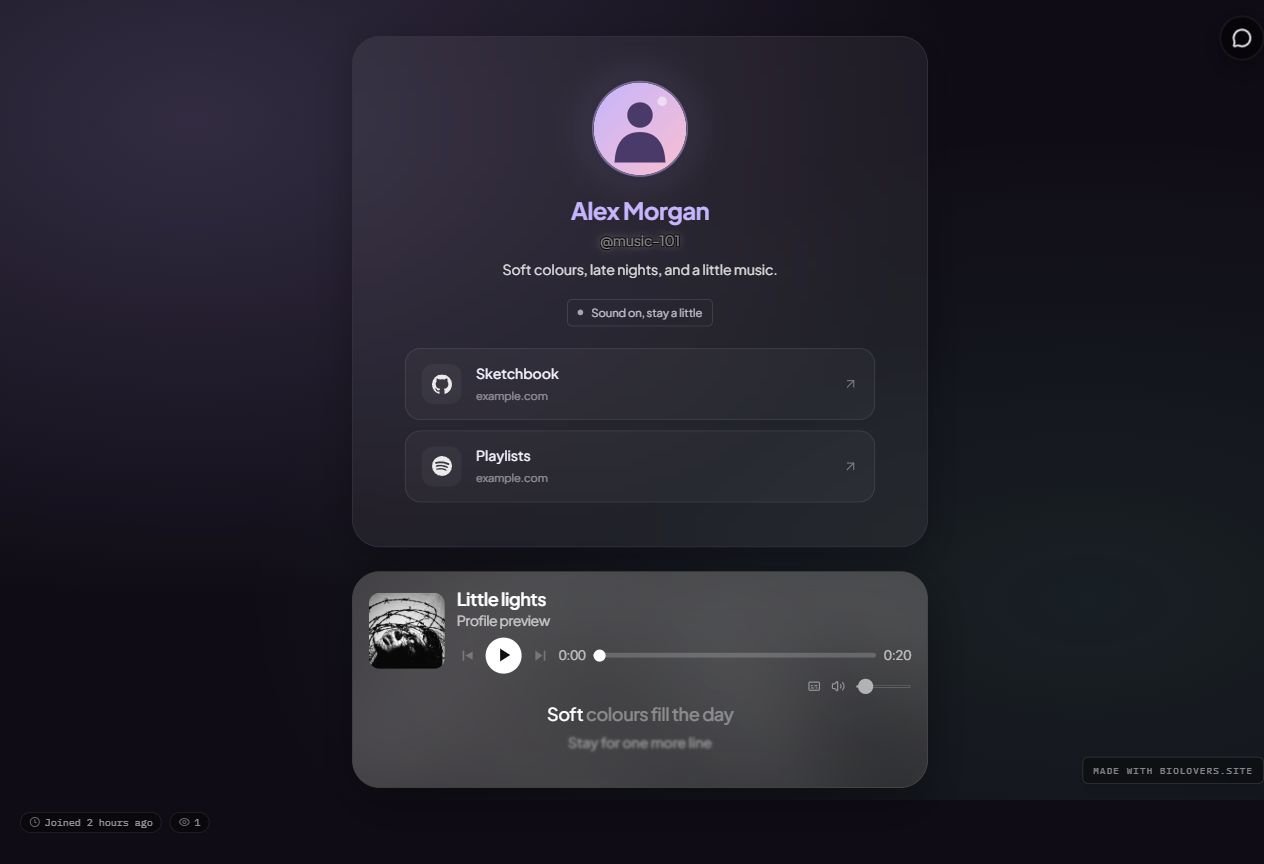
Glass lyrics below the controls in an example music card placed beneath the profile frame.
Fix lyrics that are early or late
For timed lyrics, find Lyrics timing in that track’s Music settings:- Negative seconds show lyrics earlier. Try -0.5 if they appear half a second late.
- Positive seconds show lyrics later. Try 0.5 if they appear half a second early.
- Reset returns the adjustment to 0. The range is -10 to 10 seconds.