

Page on the dashboard: dashboard.biolovers.site/dashboard/edit/connect/tips
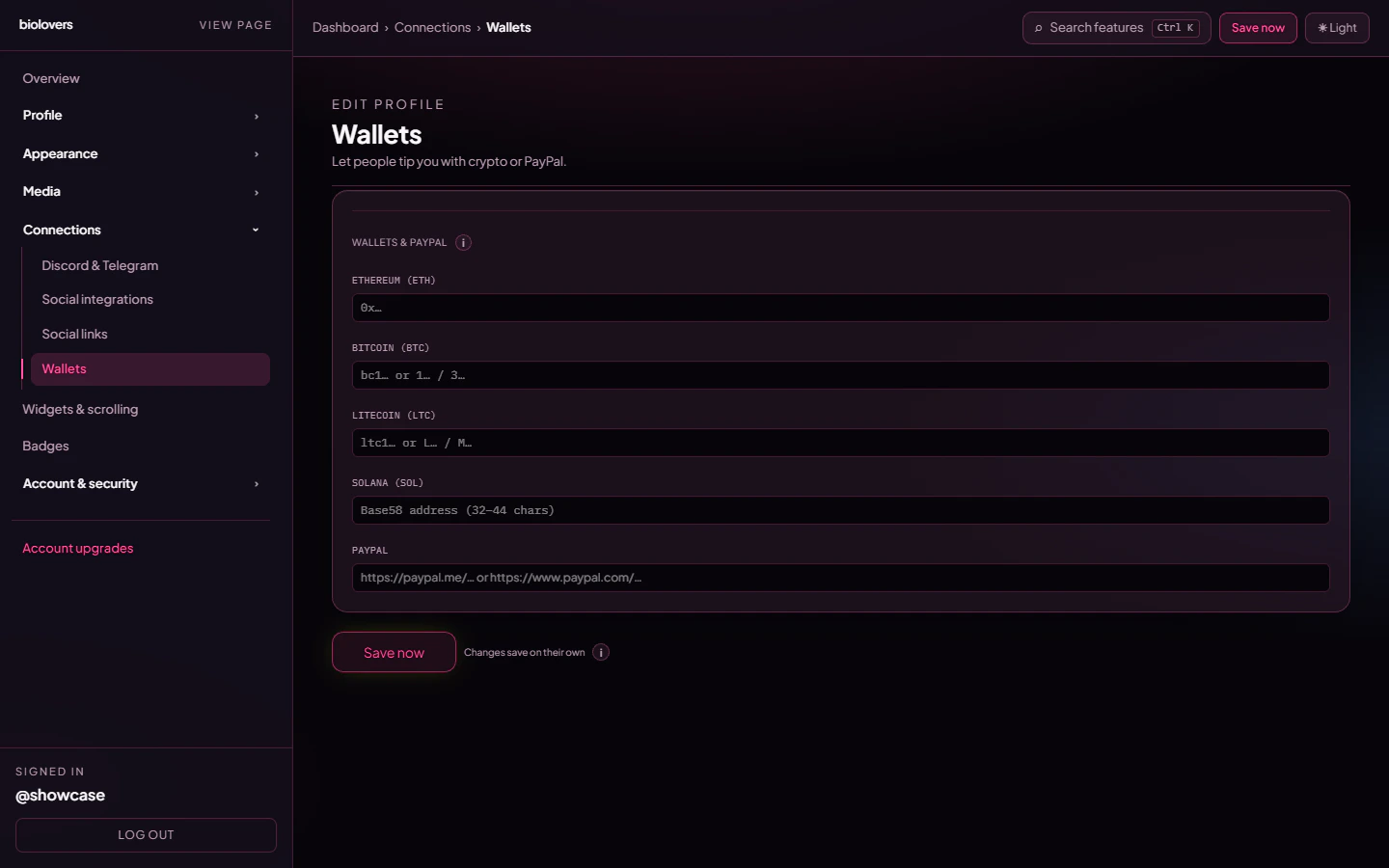
Wallets & PayPal panel.
What’s on the panel
The Wallets & PayPal section has five fixed inputs — no add / remove, no per-wallet labels, no chain picker. Leave any field blank to hide that chip on the public page.
Other chains (XMR / DOGE / TON / USDC / ENS, etc.) are not in this panel. The schema only persists these four addresses + PayPal.
How visitors interact
On the public profile, each filled field renders as a small icon chip. Tapping it:- Crypto — copies the address to the clipboard.
- PayPal — opens your PayPal link in a new tab.
Custom variant
The panel also persistscryptoWalletIconVariant (white / black / default) — this lets the icon row pick a contrast variant when your card has a particular background. There is no upload-your-own-wallet-icon feature.
Tips
- Triple-check addresses. Crypto sends are irreversible. We don’t validate addresses against the chain.
- Use a fresh address for tips so the wallet you actually keep funds in stays unexposed.
- The PayPal field is just a URL — it can point at
paypal.me, apaypal.comcheckout, or a hosted button.
Common questions
Can I add Monero / Doge / USDC / TON?
Can I add Monero / Doge / USDC / TON?
Not from this panel. The dashboard only persists ETH / BTC / LTC / SOL / PayPal. For other chains, add a custom social link chip on Social links pointing at a public address page (e.g. an explorer URL) — visitors won’t be able to one-tap copy, but they can read it.
Is the address visible to everyone?
Is the address visible to everyone?
The icon chip is, yes — and tapping it copies the address. Anyone visiting your profile can copy your tip address.
Can I label a wallet 'cold storage' / 'tips only'?
Can I label a wallet 'cold storage' / 'tips only'?
Not on this panel — the inputs don’t take labels. Use one address per chain and pick the wallet you want public.
Where is the QR code?
Where is the QR code?
There’s no QR code on the public profile for these tip chips. The address copies to the clipboard on tap.