

Page on the dashboard: dashboard.biolovers.site/dashboard/edit/pages/widgets
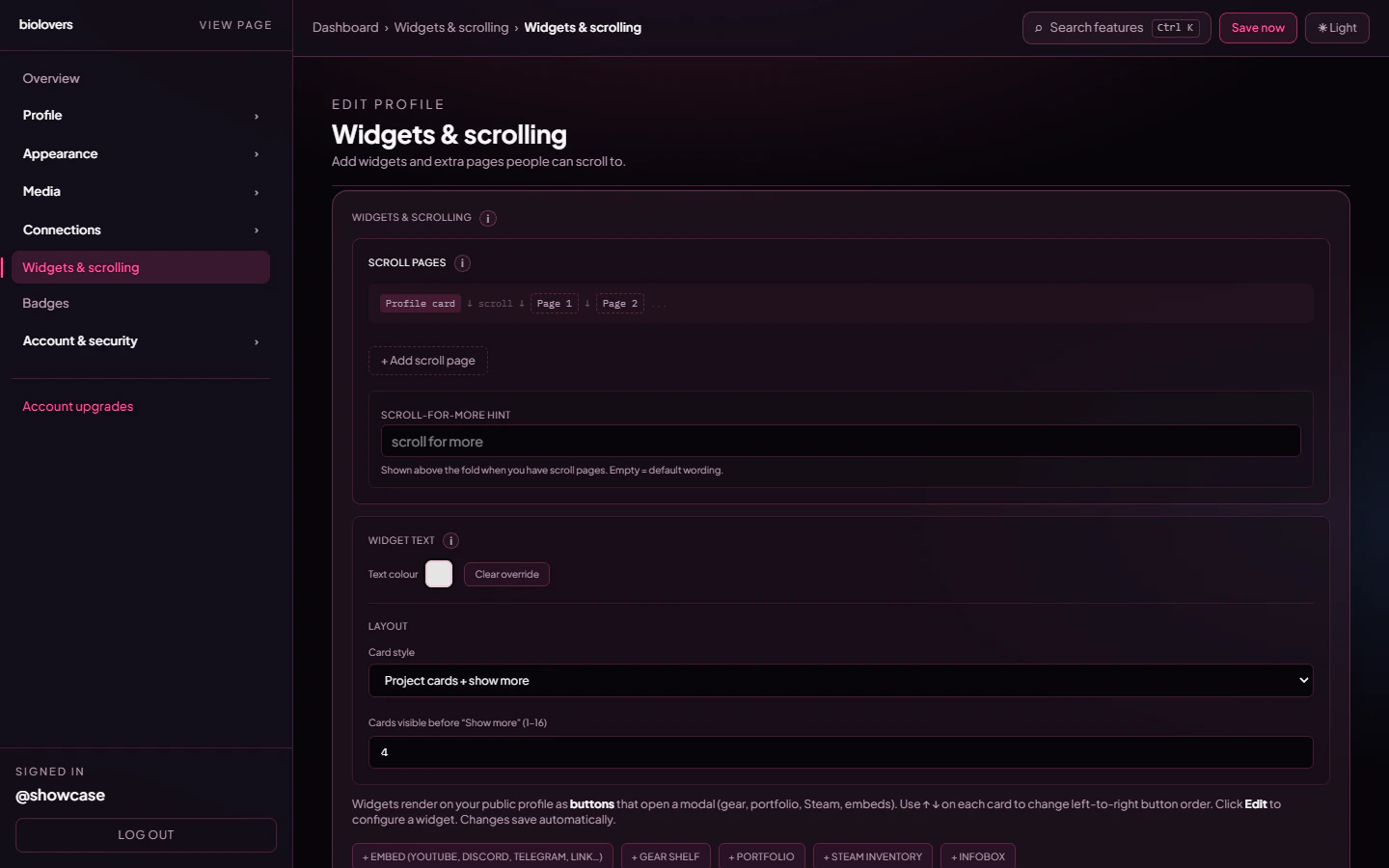
Widgets editor.
The widget types
TheprofileWidgetSchema is a union of ten widget shapes. Seven are first-class types you can add new instances of from the dashboard:
Infobox (Markdown)
A formatted text block (markdown subset). Per-widget custom font.
Embed (YouTube + multi-link)
Up to 12 mixed entries: YouTube videos, Discord invites, Telegram links, generic iframes, link buttons.
Gear shelf
A “what I use” grid — up to 48 product cards.
Portfolio
Up to 60 images + 12 video clip URLs (YouTube, Twitch, Streamable, Kick).
Projects
Showcase dev projects — banner, description, a Visit button, and clickable tech badges.
Steam inventory
Pull your CS2 / Dota 2 / TF2 inventory from Steam.
Gaming settings
Per-game mouse sens + aspect ratio. Auto-fills from your config file (CS2, COD, BF2042, OW2, R6, …).
telegram, discord_invite, and iframe — are legacy single-URL widgets kept readable so older profiles still render. New widgets of these shapes get created as entries inside the unified Embed widget instead.
How saving works
Widgets autosave on a ~900 ms debounce after every change. There is no Save button on this panel — when you stop typing / clicking, the change is persisted to the server. A spinner near the editor header indicates an in-flight save. Validation runs on save. If the server rejects a widget (bad URL, missing image, etc.) the editor surfaces the error and the autosave retries after the next edit.Scroll-for-more pages
You can split widgets into multiple scroll pages stacked under your main card. Each widget has aplacement of either card (inside the main profile card) or a section number 1–10 (one of the scroll pages).
- Up to 10 scroll pages per profile (the editor enforces this).
- Each scroll page can have an optional title (max 80 chars).
- Mobile especially benefits from scroll pages — small screens fill up fast.
Where each widget renders
Each widget has awidgetItemChrome (for grids of items) and a widgetBodyChrome (for prose / single-iframe shells), each one of solid / transparent / glass / blur. There is no “clean” chrome.
The Embed widget has two display modes:
- Button mode — each entry is a clickable card/pill that opens a modal.
- Embed mode — iframes / live embeds render inline.
Tips
- Lead with what you want people to look at. Widgets render top-to-bottom on desktop and on mobile.
- Big widgets (portfolio, embed grid) on scroll page 2 keeps your main card lean.
- The infobox is great for an “About this profile” block at the bottom.
Common questions
My widget changes aren't showing
My widget changes aren't showing
Widgets autosave ~1 second after you stop editing. If the save spinner doesn’t go idle, check the editor banner for an error.
What's the limit?
What's the limit?
16 widgets per profile (
max(16) on the customization schema). Each widget has its own internal limits — 12 embed entries, 48 gear shelf items, 60 portfolio images, etc.Can I have multiple infoboxes?
Can I have multiple infoboxes?
Yes. Each one is a separate widget — useful for different sections.
Why do some widget types say 'legacy'?
Why do some widget types say 'legacy'?
The single-URL
iframe, discord_invite, and telegram widget types are kept readable so existing profiles continue to render. The dashboard now creates these as entries inside the unified Embed widget instead.