

Page on the dashboard: dashboard.biolovers.site/dashboard/edit/look/fonts
- Display name — font for your main name line only.
- Everything else — bio, @handle, links, labels, body text.
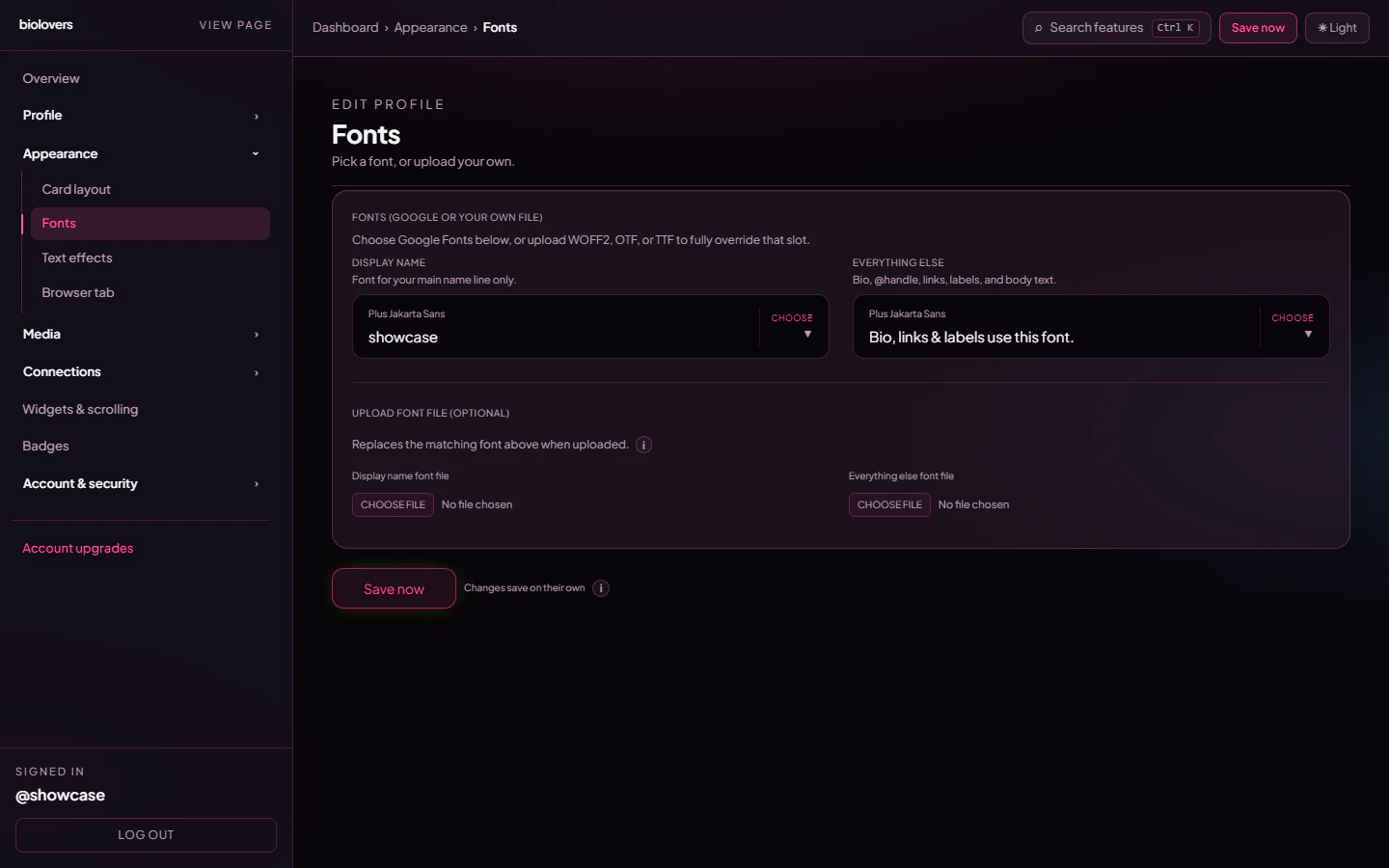
Fonts panel.
Pick a Google Font
Each slot has a searchable picker — type to filter, click to apply. The preview line right below shows your display name (orBio, links & labels use this font. for the body slot) in the chosen font.
Common picks:
- Inter / Plus Jakarta Sans — clean, modern UI feel.
- Space Grotesk / DM Sans — geometric, slightly designy.
- Playfair Display / Cormorant — serif, editorial.
- JetBrains Mono / Geist Mono — monospace, dev/aesthetic.
Upload a font file
The bottom half of the panel — Upload font file (optional) — lets you replace the matching Google Font with your own file.
When you upload a file it overrides whatever Google Font you picked above. To revert, tap Remove uploaded display name font / Remove uploaded everything else font under the upload slot.
We don’t claim any rights to your file and we don’t redistribute it — it’s served only on your profile page. Use fonts you have a license for.
Per-widget custom font
The Markdown infobox widget has its own font upload that overrides only that widget. See Markdown infobox.Common questions
Why doesn't my font show up?
Why doesn't my font show up?
Double-check the file is one of WOFF2 / OTF / TTF and under 2 MB. Hit refresh on your public page after uploading — the browser may have cached the old font.
Where do you host the font?
Where do you host the font?
Uploaded fonts go to our private storage and are served from your profile page only. Catalog fonts come straight from Google Fonts.