

Page on the dashboard: dashboard.biolovers.site/register
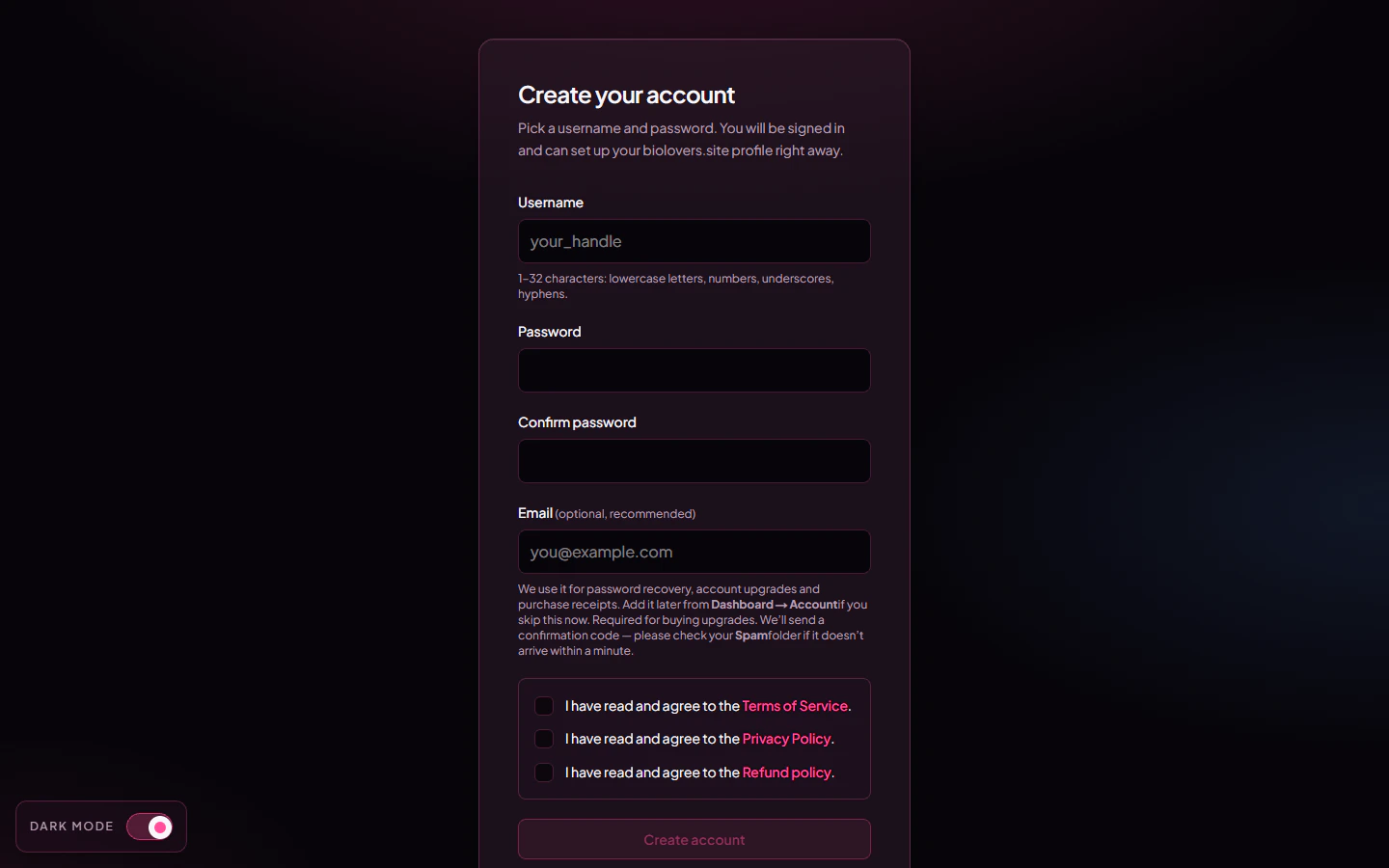
Sign-up form on the dashboard.
Fastest way: Discord or Google
Below the form there are two buttons — Continue with Discord and Continue with Google. One click creates your account: no username to pick, no password to set. We use your provider profile to set things up and sign you in. The best part is the email — your verified email from Discord or Google is filled in automatically, and it counts as verified right away. That means you can buy upgrades or reset a password later without the manual add-and-verify step a typed signup needs.- Continue with Discord — matched to your Discord account. If you don’t have an account here yet, one is created from your Discord profile.
- Continue with Google — matched to your Google account. If the verified Google email already belongs to an account here, Google is linked to that account and you’re signed in; otherwise a new account is created.
Choose your username
Because a Discord or Google signup doesn’t ask you to type a username, we start you off with one based on your provider name. The first time you open the dashboard, a Choose your username prompt appears:- Keep the suggested handle, or type your own (1–32 characters: letters, numbers, underscores, hyphens).
- This first pick is free and doesn’t use the Premium one-rename allowance.
What you fill in
The submit button reads Create account if you skipped email, or Send verification code if you added one. With an email, you’ll then see a “Confirm your email” step asking for the 6-digit code from your inbox.
After you sign up
You land on the dashboard (the/edit page). From there:
- Open Profile → Domain & URL to confirm your username.
- Open Profile → Name & about me to set your display name and bio.
- Open Media → Avatar to upload a profile picture.
- Open
biolovers.site/<your-username>in a new tab to preview your page.
Common questions
Is sign-up free?
Is sign-up free?
Yes. The free tier covers everything except the Premium-only extras listed in what Premium unlocks. No credit card needed at signup.
Can I change my username later?
Can I change my username later?
Premium accounts get one rename from the Username panel. Capitalisation tweaks (e.g.
yuno → Yuno) are unlimited and don’t count as the rename. Old links to the old username won’t redirect, so tell people the new one.What if my username is already taken?
What if my username is already taken?
The form will tell you and refuse to submit. Pick another, or add numbers / underscores / hyphens. You can also set an alias slug later (a second URL that points at the same page — Premium feature).
My email never came
My email never came
Check Spam / Promotions first — codes can land there. The verify step has a Resend code button. Codes expire after 15 minutes; if it’s still missing after a resend, double-check the address you typed.
Next
Log in
Sign back in next time.
Forgot password
Reset by email if you’ve added one.