

Page on the dashboard: dashboard.biolovers.site/dashboard/edit/media/cursor
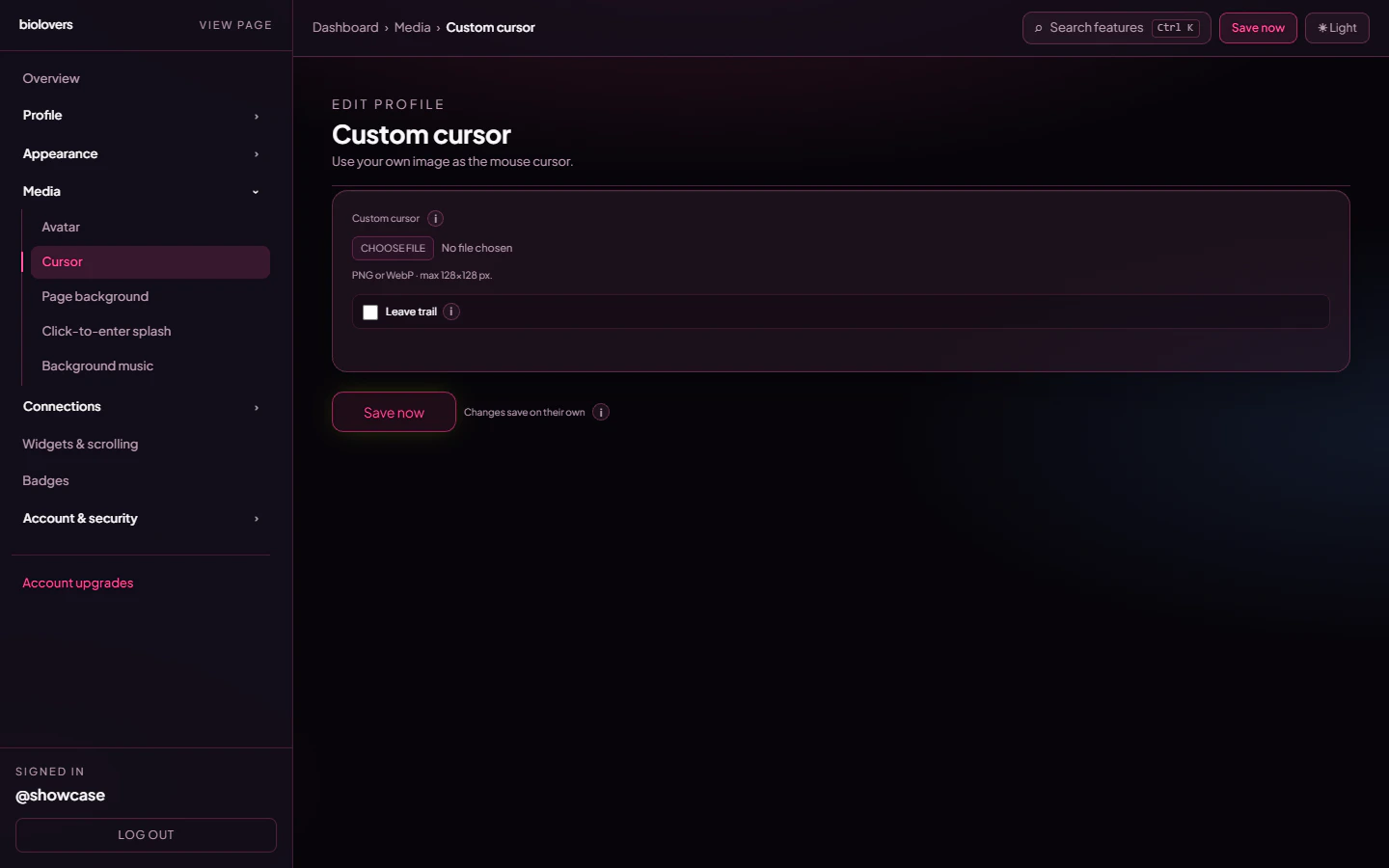
Custom cursor panel.
Upload
- Pick a file in the upload slot.
- Formats: PNG, WebP, or GIF — including animated GIF, APNG, and animated WebP.
- Static cursors max 128 × 128 pixels. Anything bigger is rejected — browsers refuse to render large static cursor images for performance reasons.
- Animated cursors are not bound by the 128 × 128 limit (see below) — but keep them small (24–64 px looks best) so they don’t cover what you’re clicking.
- Max file size: 512 KB.
- Transparent backgrounds work great — use a PNG or WebP with alpha.
Animated cursors
Upload an animated GIF, APNG, or animated WebP and it plays as your cursor follows the mouse on your public page. How it works: the browser’s normal cursor can only show a single still frame, so for animated files we hide the system arrow and draw your animation right where the pointer is. A few things to know:- It’s desktop-only — phones and tablets have no pointer to follow.
- The animation is clamped on screen (up to roughly 96 px wide) so an oversized file still behaves.
- Because animated cursors skip the native cursor entirely, the 128 × 128 limit doesn’t apply to them.
- Static PNG / WebP cursors keep using the normal, lighter browser cursor.
Hot-spot
The hot-spot is the point of the cursor — where the click registers. The system auto-centers it: the click point is the middle of your image. There’s no UI to pick a custom hot-spot.Trail (optional)
A single checkbox: Leave trail. When on, the cursor leaves fading copies for 1.2 seconds. If you haven’t uploaded a custom cursor, the trail falls back to a small accent-coloured dot. That’s it — there are no extra knobs for trail length, fade speed, or colour tint. Trim the trail visually by picking a smaller cursor image.Remove
Tap Remove under the preview to clear the cursor and revert to the system arrow.Common questions
My cursor isn't showing
My cursor isn't showing
For a static PNG / WebP, check it’s 128 × 128 or smaller and under 512 KB — bigger files won’t apply because the browser’s cursor spec caps the size. For an animated GIF / APNG / WebP, the size limit doesn’t apply, but it’s still desktop-only and capped at 512 KB.
Why is my click slightly off?
Why is my click slightly off?
The hot-spot is auto-centered, so design your cursor with the click point in the middle of the canvas. There’s no per-pixel hot-spot picker.
Does the trail work on phones?
Does the trail work on phones?
No — phones don’t have a cursor. The trail is desktop-only.
Can I use an animated cursor?
Can I use an animated cursor?
Yes — upload an animated GIF, APNG, or animated WebP. It plays while following your mouse on your public page (desktop only). Static PNG / WebP cursors still work as a normal still cursor.
Can I tune the trail length / speed / colour?
Can I tune the trail length / speed / colour?
Not from the dashboard — the trail is a single on / off toggle with a fixed 1.2-second fade.