

Page on the dashboard: dashboard.biolovers.site/dashboard/edit/profile/about
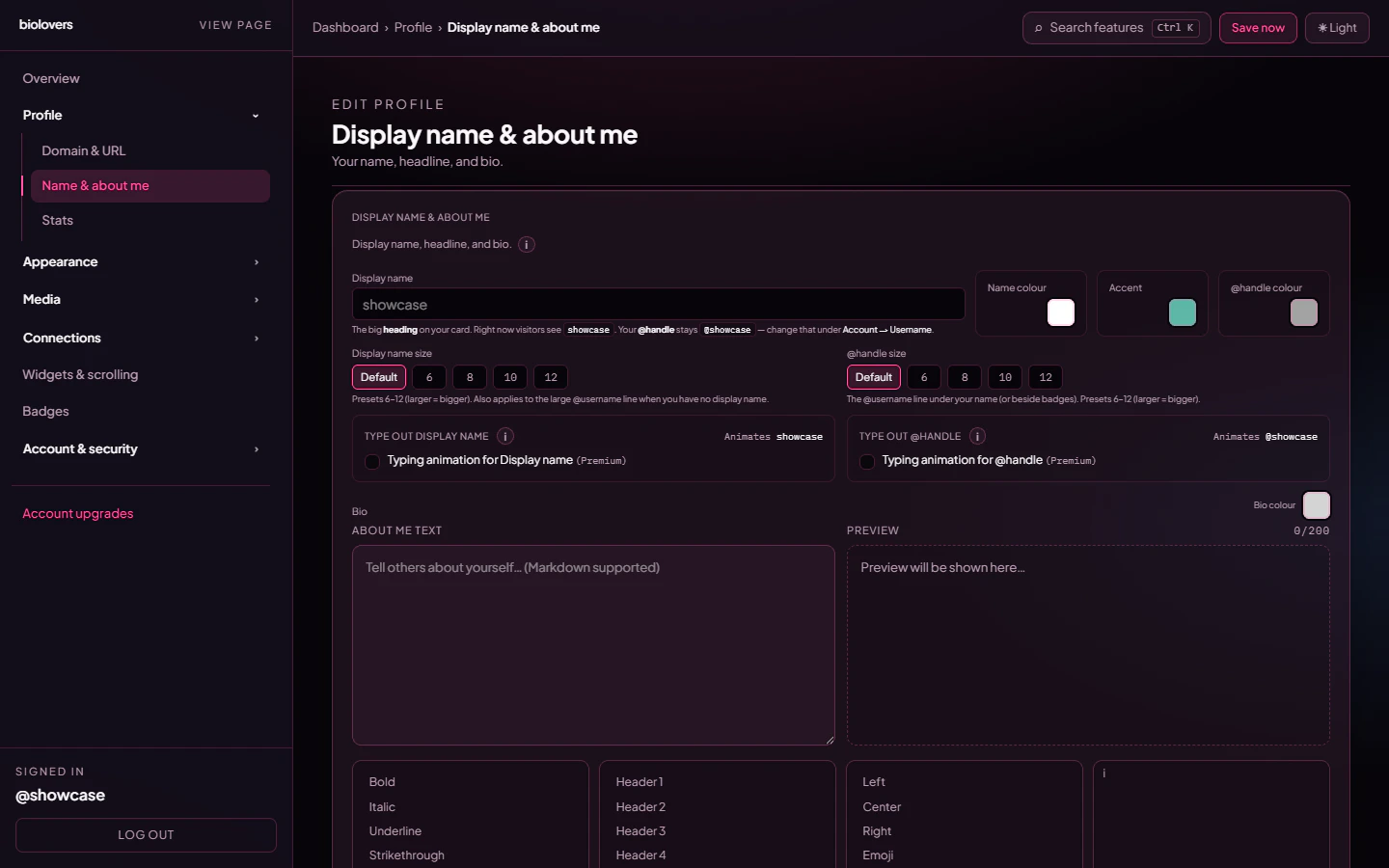
The Name & about me panel.
Display name
The big name at the top of your profile.- Up to 64 characters.
- Emojis and Unicode work.
- Different from your username (login name). You can be
awesome_user_42in URLs and ”✦ Atlas ✦” on the page.
@username.
Display name size
Pick from a small set of size presets in the same panel — they affect just the display name, not the rest of the card.Accent color
The accent color picker lives on this panel too. It drives buttons, link hovers, and the highlight color used elsewhere on the card.Typewriter (animated rotation)
A typewriter effect can rotate through multiple phrases on the display name, @handle, or bio — one per line in the phrases input. Useful for showing several taglines without taking up extra space.The typewriter feature is Premium. Free accounts see the toggle but it stays disabled. The same controls also gate the (Premium-only) browser tab title typewriter — see Browser tab.
About me / bio
A short paragraph below your handle. The dashboard editor caps it at 200 characters, so think of it as a one-liner, not an essay. It supports a small markdown subset rendered through a custom safe renderer:
Line breaks in the editor are real line breaks — no need for
<br>.
What is not supported: bullet lists (-), numbered lists, code fences, blockquotes (>), horizontal rules (---), and inline images (![]()). The renderer also strips raw HTML and scripts. If you need richer content (images, lists, embeds), use a Markdown infobox widget below the card instead — it has the same renderer but a much higher character cap.
Common questions
Where do emojis go?
Where do emojis go?
Anywhere. Display name, bio. Tap your system emoji picker (Win +
. on Windows, Ctrl + Cmd + Space on Mac).Can I have a colored name?
Can I have a colored name?
Yes — apply a Text effect (gradient or glow) to the display name. Premium feature.
Can I have a separate 'tagline' under my name?
Can I have a separate 'tagline' under my name?
There’s no dedicated tagline field. Use the typewriter (Premium) on the display name with multiple phrases, or put a one-line tagline at the start of your bio.
My bio cuts off at 200 characters
My bio cuts off at 200 characters
That’s the editor’s hard cap. For longer text, add a Markdown infobox widget below your card — it accepts up to 12,000 characters.
My link in the bio isn't tappable
My link in the bio isn't tappable
Make sure you used the markdown syntax:
[label](https://full-url-with-https.com). Plain text URLs aren’t auto-linked.Related
Stats line under your name
Views, joined, location, timezone meta pills.
Text effects
Make your name pop (Premium).