

Page on the dashboard: dashboard.biolovers.site/dashboard/edit/profile/url
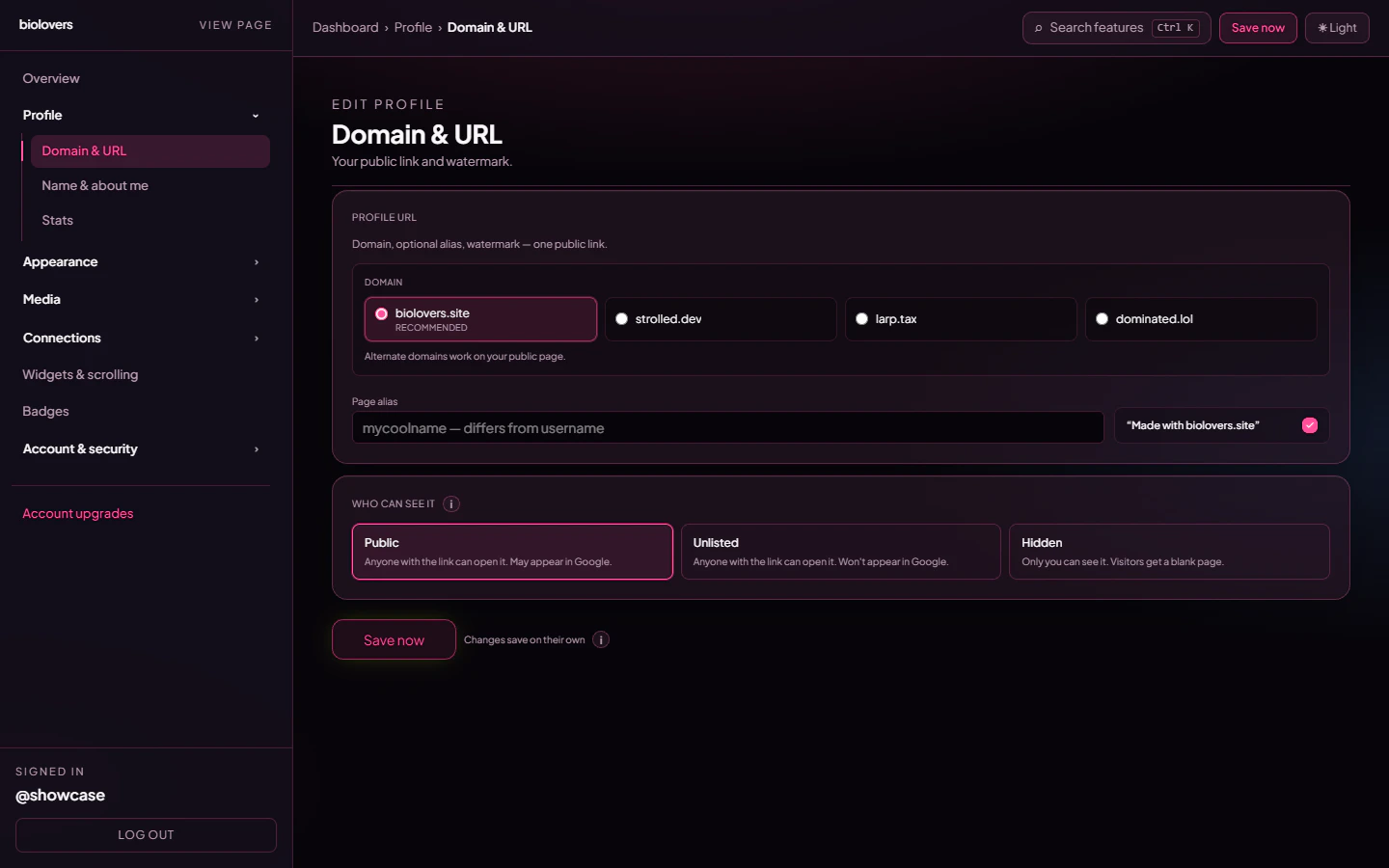
The Domain & URL panel.
Domain
Pick which apex shows up in your URL. The default works for everybody.strolled.dev is no longer offered. If you used it before, switch to biolovers.site or another option above; old strolled.dev/yourname links still open.
The Premium first-party names all serve the same profile — pick whichever vibe matches you. You can switch any time. The previous URL stops working immediately, so tell people the new one.
Page alias (Premium)
A second slug for the same profile. If your username isenderman123 you might set the alias to ender so people can use either:
biolovers.site/enderman123biolovers.site/ender
_ / - — same character set as the username. The casing you type is preserved in the URL (e.g. Ender stays Ender). Leave the field empty for “no alias”.
”Made with biolovers.site” watermark
A small footer line on your public page. Two states:- Free: the watermark is always on. The toggle is locked.
- Premium: the toggle is yours — turn it off to remove the watermark, or leave it on to support the project.
Who can see it
Three buttons, three modes:
If you set Hidden, an orange banner appears reminding you that visitors will see “Profile hidden” until you switch back.
Common questions
Can I use my own domain (yourdomain.com)?
Can I use my own domain (yourdomain.com)?
Yes. Full steps: Use your own domain.
If I change username, do old links redirect?
If I change username, do old links redirect?
No. Old links 404 the moment you save. If you have Premium, set the alias slug to the old name so both work. Full details: Username.
Is 'Unlisted' actually private?
Is 'Unlisted' actually private?
Anyone with the link can still open it. It just keeps Google + Bing from indexing the page. For “only me”, pick Hidden.
What's the difference between username and alias?
What's the difference between username and alias?
Your username is the account login + the default URL. Your alias is an extra URL pointing to the same page. You always have a username; the alias is optional.
My alias keeps stripping characters
My alias keeps stripping characters
The form silently removes anything that isn’t a letter, digit,
_, or -. Spaces and emoji aren’t allowed in URLs. Casing is preserved.Related
Use your own domain
Put your page on yourdomain.com.
What Premium unlocks
Domains, alias, watermark off, and more.