

Page on the dashboard: dashboard.biolovers.site/dashboard/edit/connect/socials
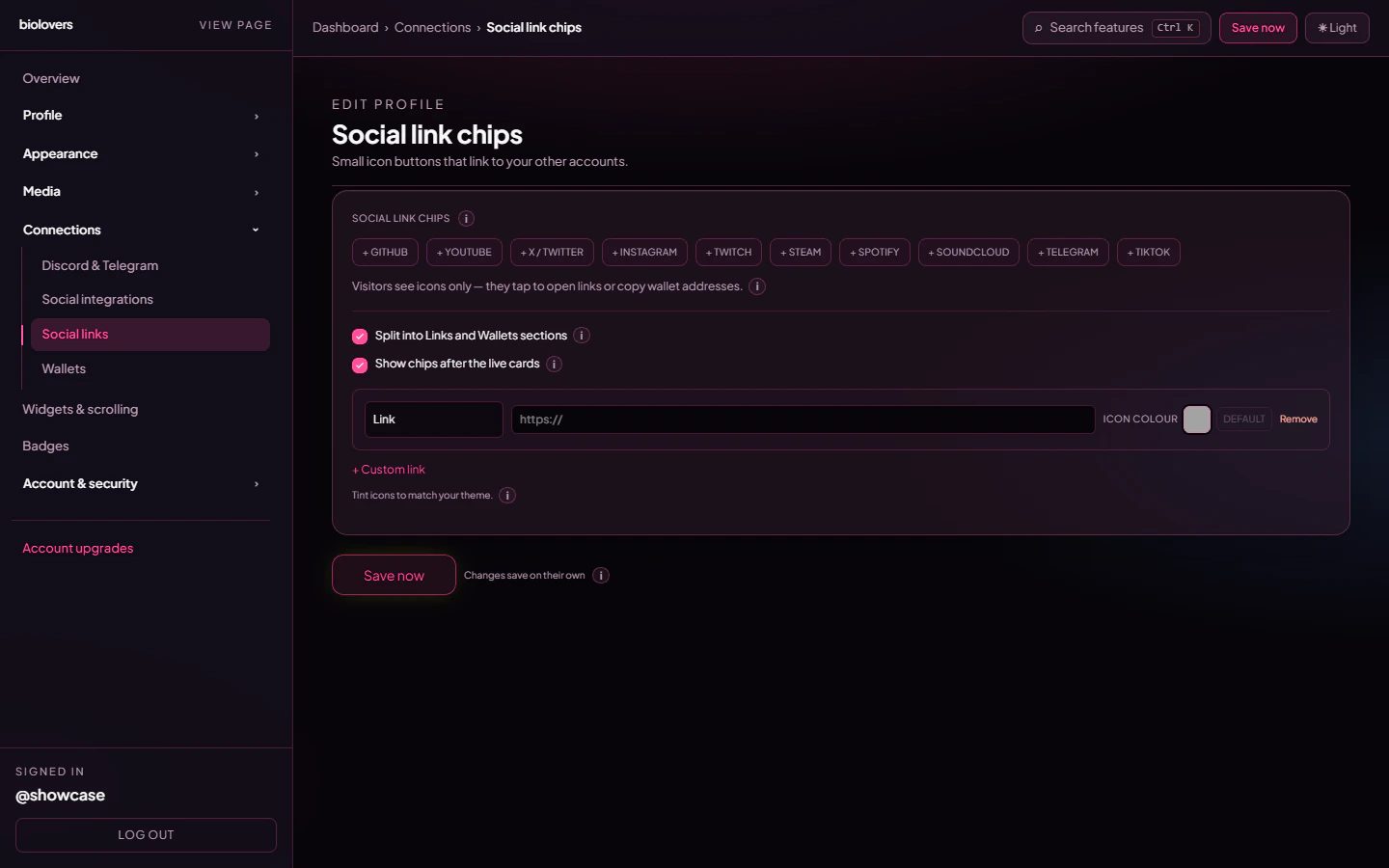
Social link chips editor.
Add a chip
The panel shows a row of + Discord, + GitHub, + YouTube, + X / Twitter, + Instagram, + Twitch, + Steam, + Spotify, + SoundCloud, + Telegram, + TikTok quick-add buttons. Tap one to add an empty row pre-set to that platform’s icon, then paste your URL. For anything not in the preset list, tap + Custom link at the bottom of the row list — the chip pulls the destination site’s favicon automatically once you paste the URL. (No SVG / image upload UI exists per chip — the icon comes from the preset or favicon.)Per-row controls
Panel-wide options
- Split into Links and Wallets sections — when on, the public chip grid shows two headed groups; off = one combined grid.
- Show chips after the live cards (default on) — places the chip row below your live tiles. Off = chips sit between Discord/Telegram and the widgets, the classic layout. The same toggle is mirrored on the Social integrations panel.
Reorder
Re-add in the desired order or remove and re-create — there’s no drag-to-reorder UI on this panel today.Common questions
Why are my icons one colour?
Why are my icons one colour?
Free chips render with the original brand artwork. Premium unlocks the per-chip Icon colour swatch so you can tint each icon to match your accent.
My custom link icon is the generic globe
My custom link icon is the generic globe
Make sure the URL points to a real domain (e.g.
https://example.com/yourname rather than example.com). The favicon is grabbed from the destination origin a few seconds after you paste.My TikTok / Instagram chip just opens the homepage
My TikTok / Instagram chip just opens the homepage
The URL needs your full profile path (e.g.
https://instagram.com/yourname), not just instagram.com.Where do I tint the chip icon?
Where do I tint the chip icon?
Premium only. The Icon colour swatch sits to the right of each row, with a Default button to clear the tint.