

Page on the dashboard: dashboard.biolovers.site/dashboard/edit/media/splash
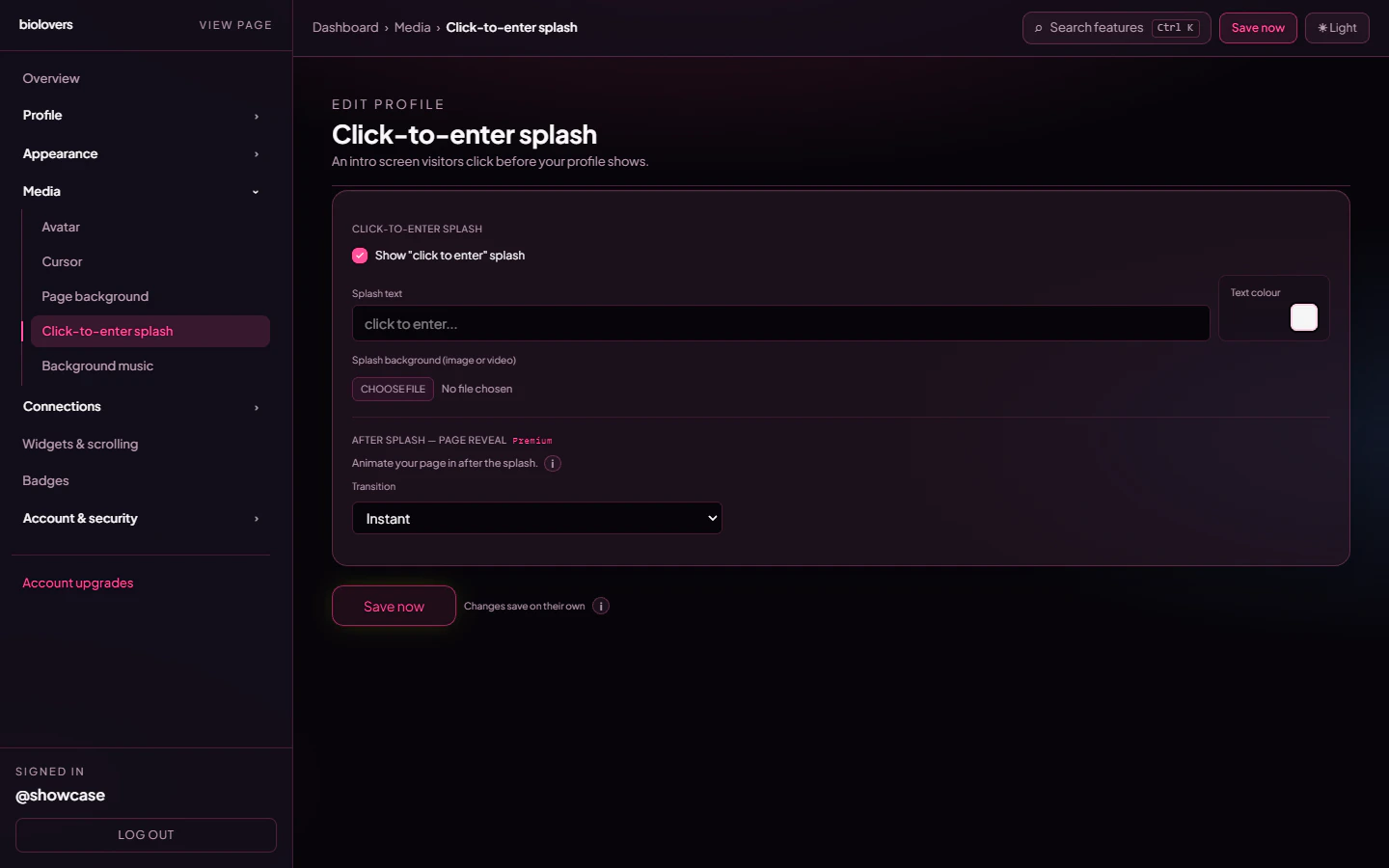
Splash panel.
Turn it on
Tick Show “click to enter” splash at the top of the panel. Off = visitors land on your profile immediately.Splash text
A single text input — the big text in the middle of the splash. Up to 200 characters. Placeholder isclick to enter….
Premium accounts also get a Text colour swatch right next to the field for the splash text. Free accounts use the entry-gate default colour.
Splash background (image or video)
One file upload — accepts:
The same upload slot handles both. Yes, the splash background can be a video — it’s not limited to still images. Premium raises the video soft cap to 350 MiB (same rule as Page background).
The preview shows your file with a Remove button.
After splash — page reveal (Premium)
A separate group below the upload, gated to Premium. It controls the animation that plays once the visitor taps:
Free accounts see this section disabled with the Premium upsell line. The reveal mode list is the real list — there’s no
Slide up / Zoom out / Cut mode.
Why use a splash
- Music autoplay — browsers will block audio until the user interacts. The splash is that interaction.
- Drama — a darker splash → bright profile reveal feels intentional.
- First impression — show a logo / single image (or short video) while the rest of the page loads.
Why skip a splash
- One extra tap before visitors see your stuff. People in a hurry may bail.
- SEO bots ignore the splash but you make humans wait an extra second.
Common questions
My splash flashes for a second then goes away
My splash flashes for a second then goes away
That’s the reveal animation playing. Premium accounts can tune it via Transition / Duration, or set Transition to Instant for no animation.
Music still doesn't play after I added a splash
Music still doesn't play after I added a splash
See Audio won’t autoplay.
Can I have a video splash background?
Can I have a video splash background?
Yes — the splash background upload accepts MP4 / WebM / MOV directly.
Does the splash count as a visit?
Does the splash count as a visit?
Yes — the page view is counted as soon as the page loads, even if the visitor never taps the splash.