

Controls
There is no auto-hide / fade-out behavior — the bar stays visible while playback is active. The only way to hide the UI is to enable Hidden on the music bar settings (playback continues, the controls disappear).
Position / chrome
You set the bar’s placement on the Audio panel. Real options:- Viewport-fixed bottom (default) — pinned to the bottom of the visitor’s screen.
- Attached — docked inside the profile card.
- Below profile — sits in the column below the card with a gap.
- Hidden — UI hidden, playback continues.
Side-by-side: the four placements
The showcase profile with one short MP3 loaded, screenshotted from each placement option.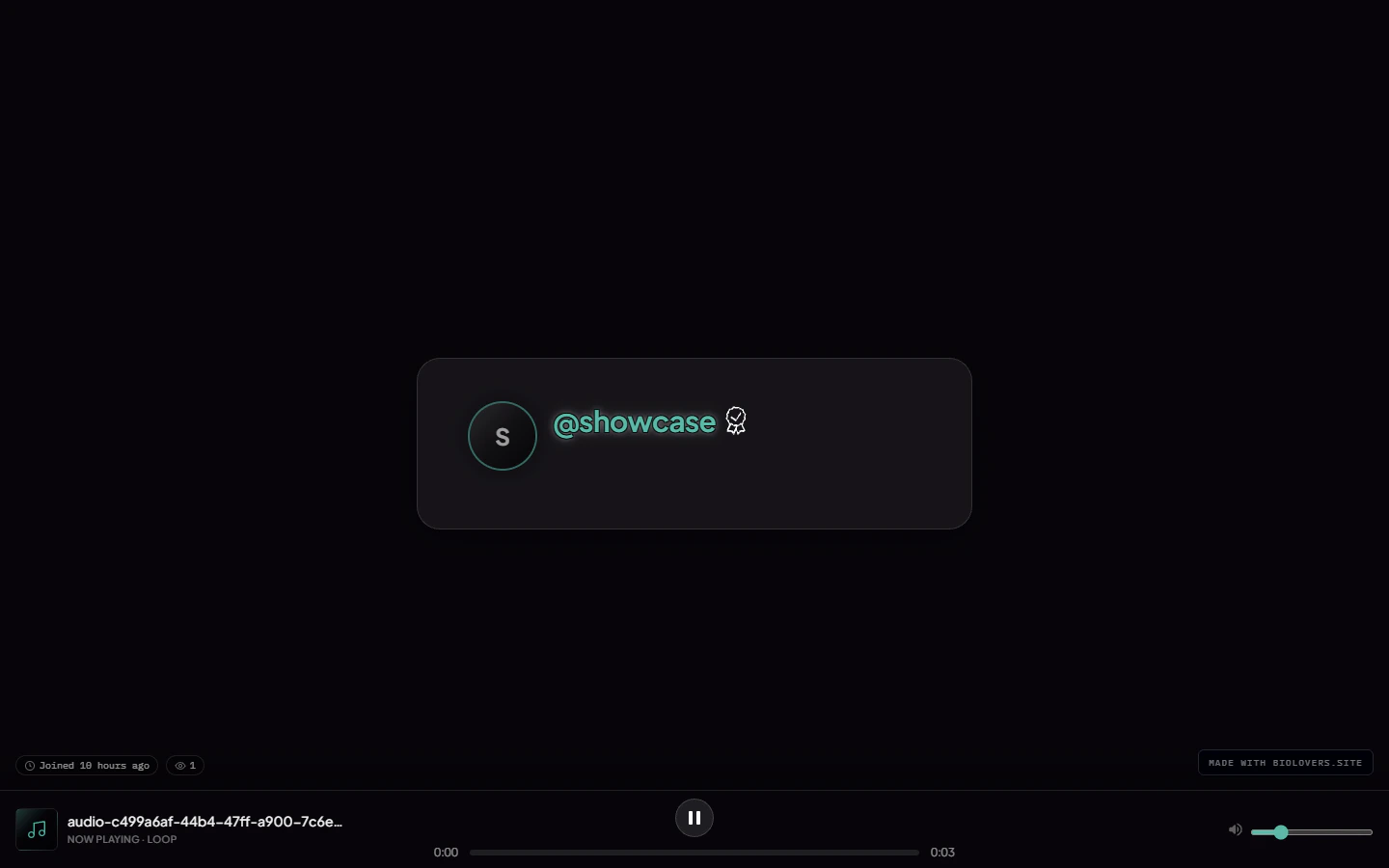
Viewport-fixed bottom (default) — bar pinned to the bottom of the screen, full window width.
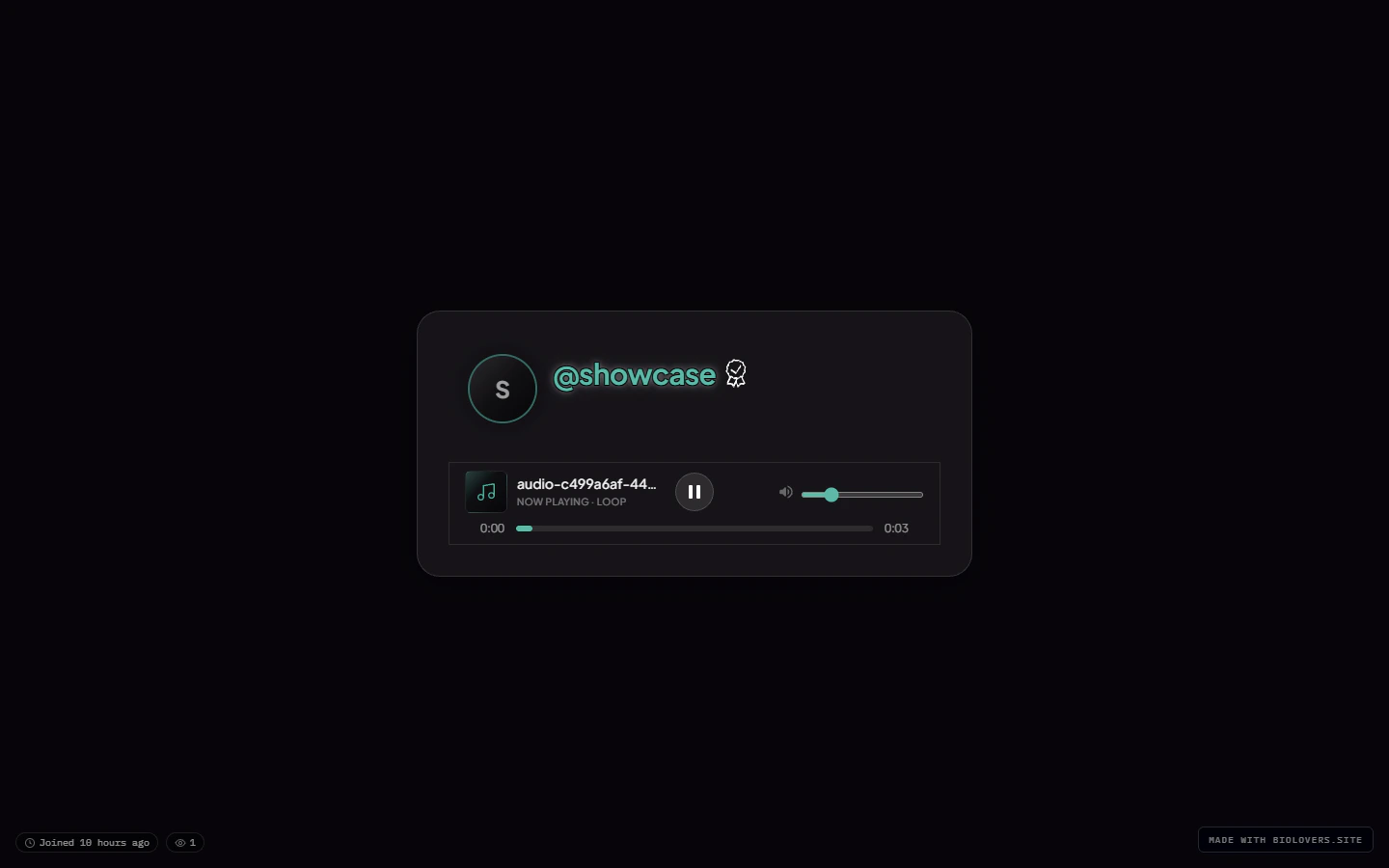
Attached — bar docked inside the profile card, sized to the card.
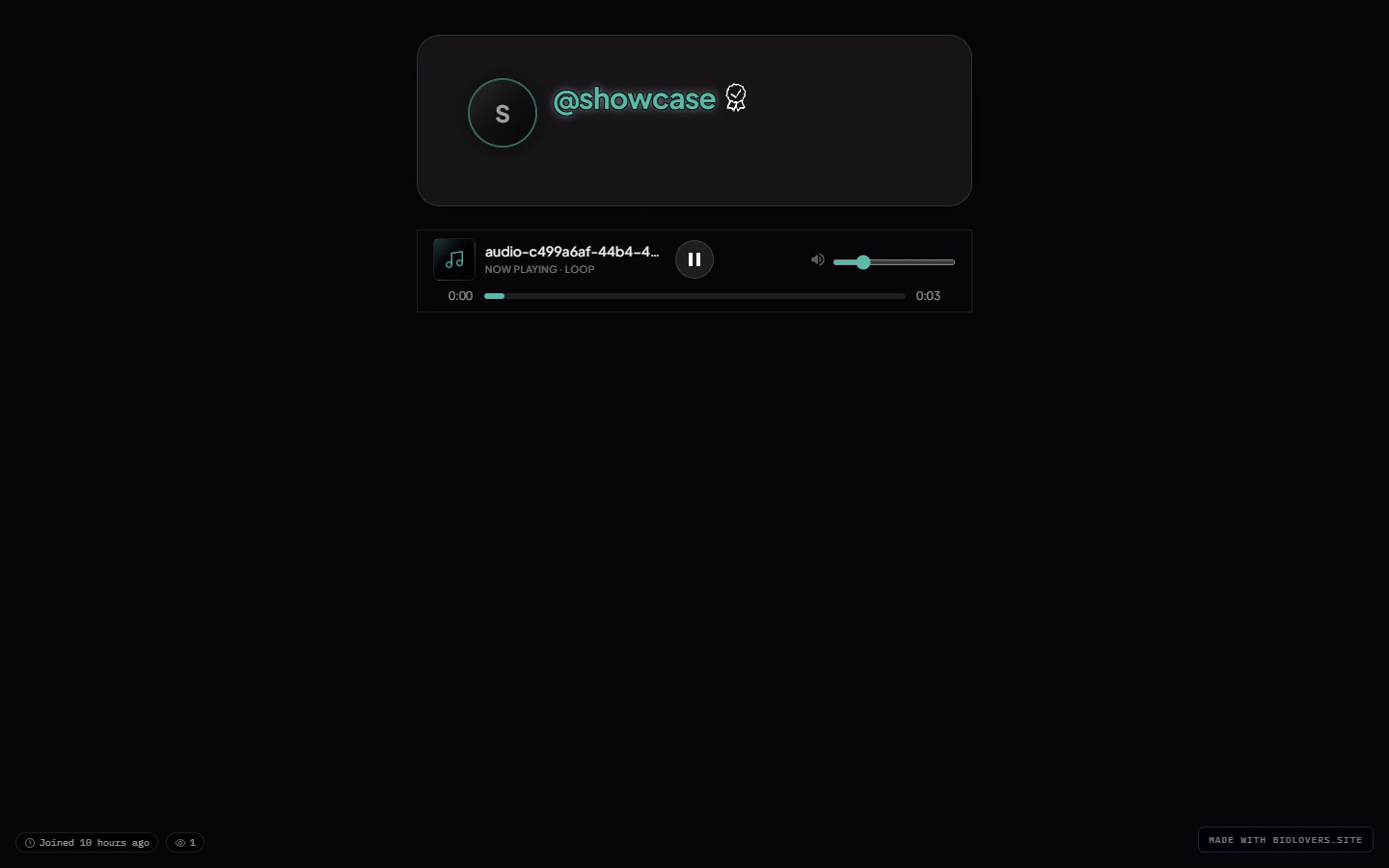
Below profile — bar floats in the column below the card with a gap.
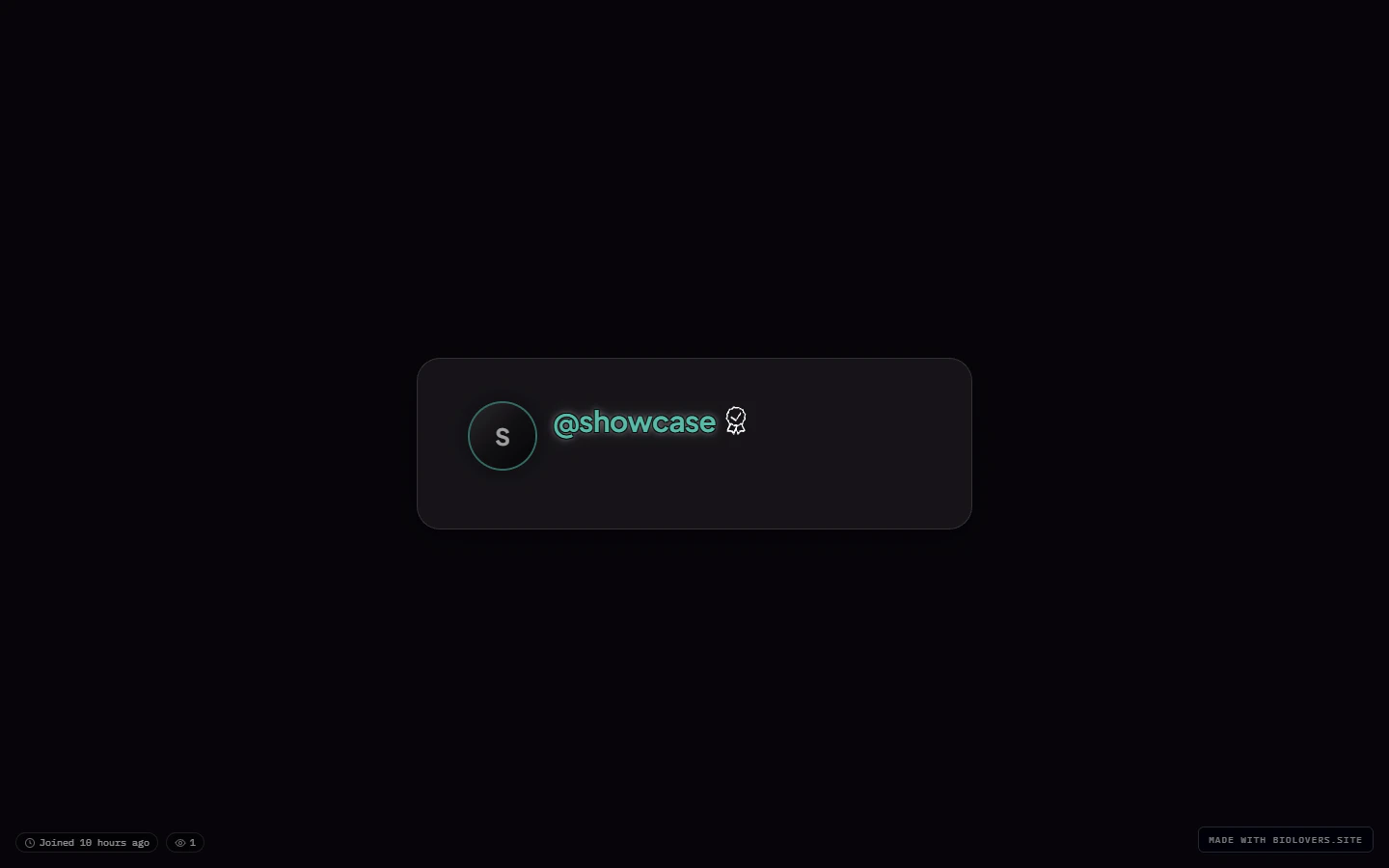
Hidden — controls hidden, audio still autoplays in the background.