

Page on the dashboard: dashboard.biolovers.site/dashboard/edit/badges
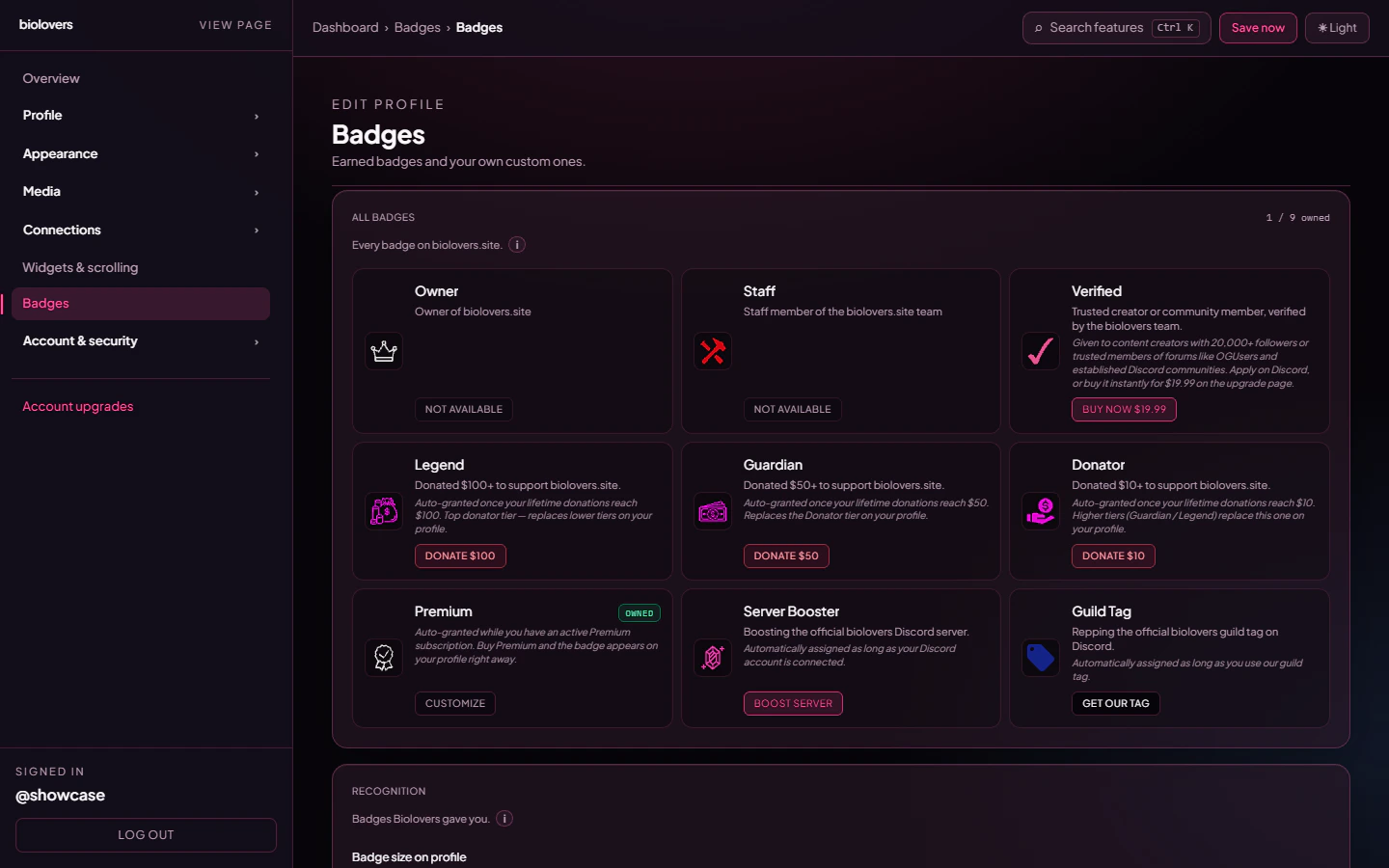
Badges panel.
Site badges
These are the slugs that can appear next to your name (Profile.siteBadges). Labels and icons come from the admin-managed catalog (BadgeDefinition).
Only the highest donator / inviter tier ever shows by default — bronze is replaced by silver when you cross into silver, and so on (same goes for Inviter I → II → III). You can change that per family using the modal described below.
Tiered families
Some badges come in stacks: Donator (Bronze / Silver / Gold) and Inviter (I / II / III). On your gallery these collapse into a single tile per family. Click the tile to open the family modal, where every tier is laid out side-by-side: tiers you already own are highlighted, locked tiers show the unlock hint.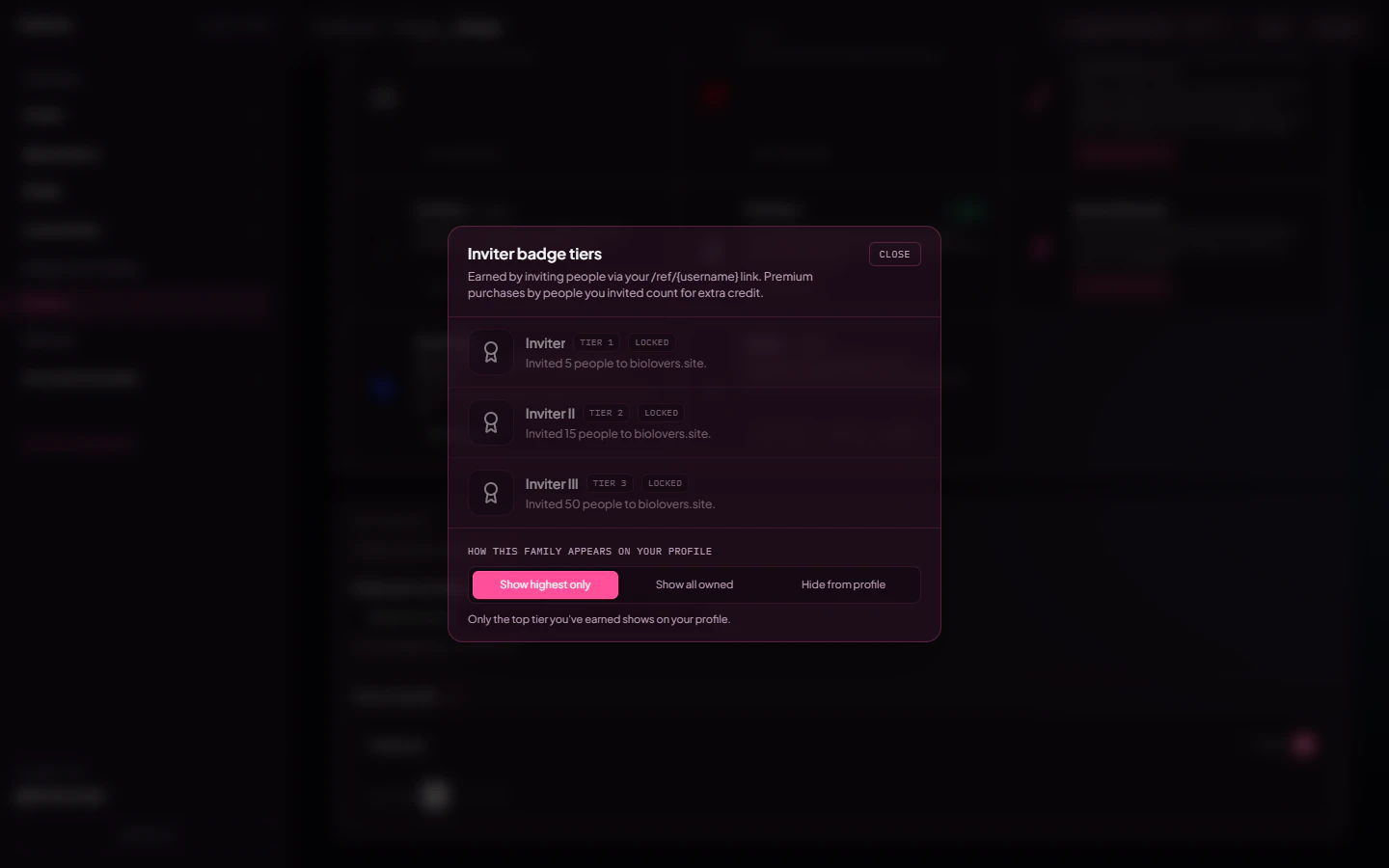
Inviter family modal — owned tier highlighted, locked ones show how to unlock.
- Show highest only (default) — only the top tier you own appears in your badge strip.
- Show all owned — every tier from I up to your highest displays as separate badges.
- Hide from profile — none of the tiers show on your profile (you keep them earned, they just don’t render publicly).
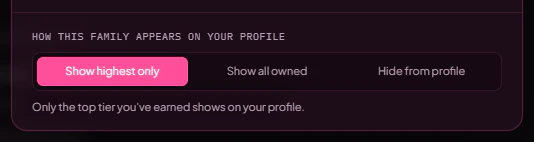
Display preference picker at the bottom of the family modal.
Discord profile badges (separate)
Quest, Pomelo migration, Nitro flags, HypeSquad, etc. are Discord badges fetched from your linked Discord account. They render on the Discord presence card (when you’ve enabled “Show profile badges”) — they are not site-level badges next to your display name.Bought separately
Where badges show
- Next to your display name on the public profile.
- Inside the stats line (optional) — toggle on the Stats panel to compact them onto the meta row.
- Custom badges appear after earned ones, in the order you set them in the panel.
Order
Earned badges are sorted by the catalog’ssortOrder first, then a default SITE_BADGE_ORDER (owner → staff → donator → premium). Custom badges follow.
Hover text
Hover any badge to see itsdescription. For custom badges this is the Hover message field you set when you uploaded the image (max 20 chars).
Hide a badge
Toggle Show on profile off for any badge — it stays earned but disappears from the public page (siteBadgesHidden on the profile).
Customize appearance (Premium)
Under Recognition on the same Badges panel, Premium unlocks:
Free accounts keep the catalog defaults for size, colour, and order. Hide / show still works on both tiers.
Common questions
When does the donator badge upgrade tiers?
When does the donator badge upgrade tiers?
The instant a payment lands. So if you donate $5 today and $5 tomorrow, the bronze badge appears the moment your lifetime crosses $10.
Is the booster badge based on Nitro?
Is the booster badge based on Nitro?
No — it’s based on boosting the Biolovers Discord server. Linking Discord without boosting doesn’t grant it.
How do I get the Guild Tag badge?
How do I get the Guild Tag badge?
Link Discord, then equip the official Biolovers guild tag on your Discord profile (identity enabled). The bot syncs the
discord_guild_tag site badge automatically.Can I hide a badge I earned?
Can I hide a badge I earned?
Yes — toggle Show on profile off for that badge. The badge stays earned, just doesn’t appear publicly.
Where are the Quest / Pomelo badges?
Where are the Quest / Pomelo badges?
Those are Discord profile badges, shown on the Discord presence card (when “Show profile badges” is on). They aren’t site badges next to your display name.
Related
Custom badges
Upload your own badge images.
Verified
The blue checkmark.