

Page on the dashboard: dashboard.biolovers.site/dashboard/edit/account/email
- The self-serve Forgot password reset flow.
- Purchase receipts (Stripe + our branded receipt).
- Important account notices (account suspended, payment refunded).
- Email-based password change inside the dashboard (the change-password panel sends a 6-digit code).
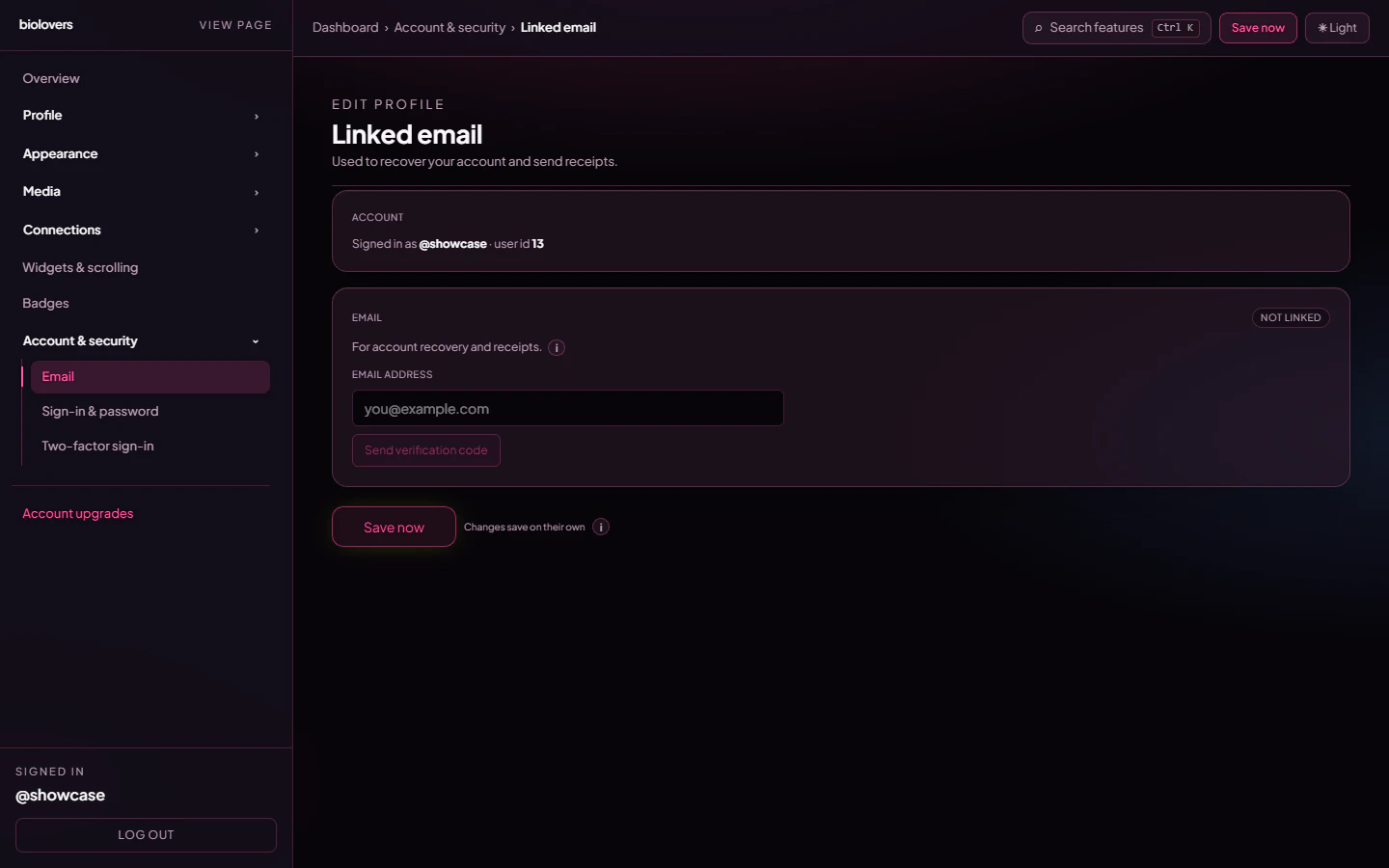
Email panel.
Add an email
- Type the email in the input.
- Tap Send verification code.
- We send a 6-digit code to that address.
- Type the code into the panel and tap Confirm code.
Change an email
Same flow — type the new email, send a code, confirm. Your old email is replaced once the new one is verified.Didn’t get the code?
- Check Spam / Promotions / All Mail.
- Tap Resend in the dashboard.
- Wait a minute — first sends sometimes get queued by mail providers.
- Codes expire after 15 minutes; just request a new one if it’s stale.
”Link a verified email before purchasing”
Some upgrades (Premium, Verified, Donate, Custom badges) require a verified email before checkout. Receipts have to go somewhere. If you see this banner on a checkout page, tap the link and finish email verification first.Common questions
Can I have multiple emails?
Can I have multiple emails?
No — one verified email per account. Replacing it just overwrites the old one.
Will my email show on my public page?
Will my email show on my public page?
No, never. It’s only used for account stuff.
Can I sign in with my email?
Can I sign in with my email?
Sign-in uses your username, not email. The email is for password resets and receipts.
The verify code says 'expired'
The verify code says 'expired'
Codes are valid for 15 minutes. Tap Resend to get a new one.
Can I detach my email entirely?
Can I detach my email entirely?
The dashboard doesn’t expose a “Remove email” action — to drop it, replace it with a different verified email or open a ticket in our Discord.