

Page on the dashboard: dashboard.biolovers.site/dashboard/edit/connect/live
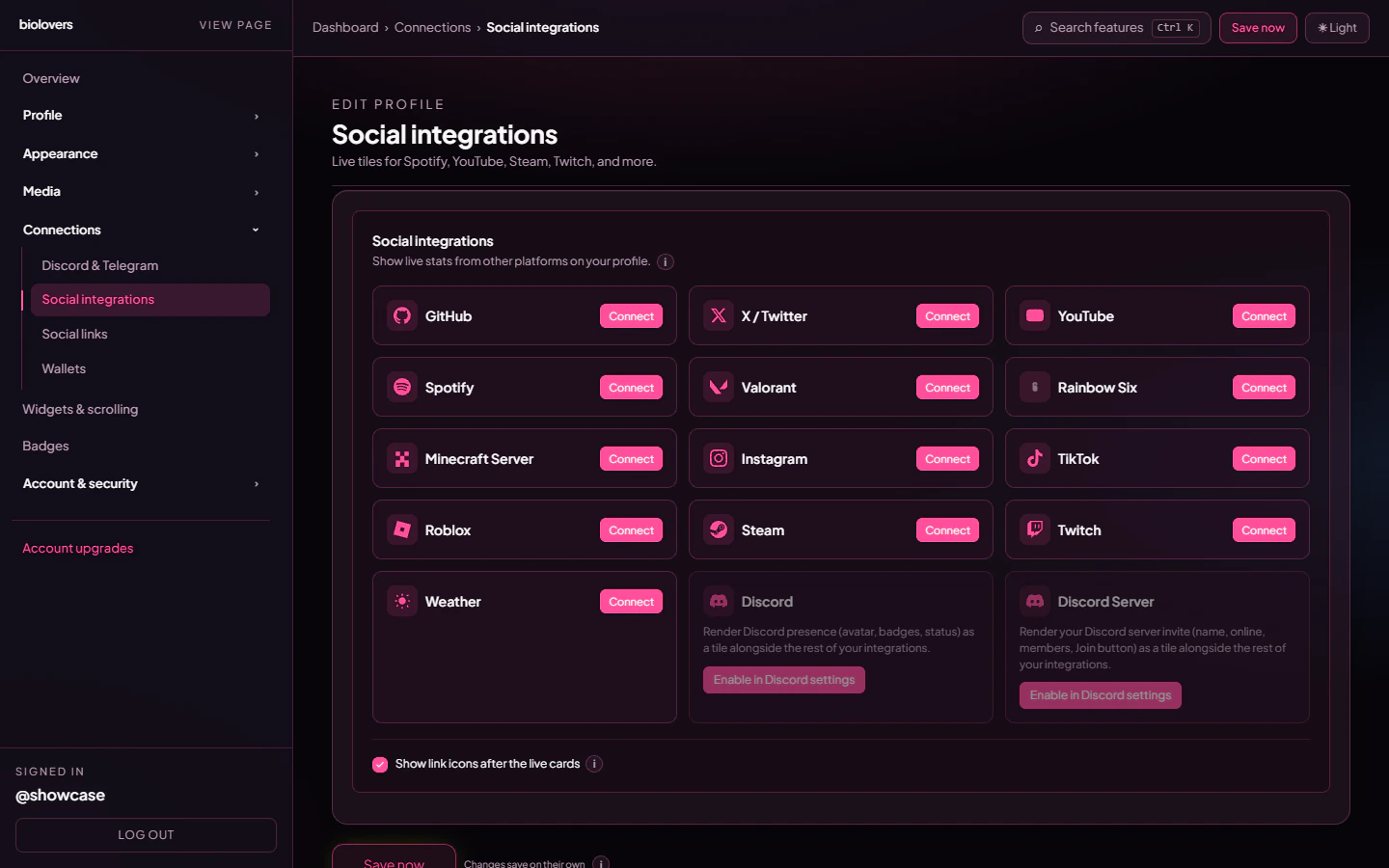
Live tiles editor.
What’s available
The platform picker offers these live tiles, plus pseudo-tiles (Discord, Discord Server, Telegram, Telegram Group) backed by your linked Discord / Telegram settings:
The pseudo-Discord / Telegram tiles only appear when you’ve linked the matching account and ticked the corresponding toggle on the Discord & Telegram panel.
Add an integration
- Pick a platform from the picker.
- Type the identifier the picker hints at (the
Identifiercolumn above). - Pick a display style (the size / chrome of the card — each platform has 2-4 options).
- Save. The first fetch happens immediately.
Refresh cadence
Refresh interval is per-platform, set in the source code’sPLATFORM_TTL map. A few examples:
- GitHub, Roblox, Tarkov, Tarkov Achievements — 6 hours.
- YouTube, Spotify, Steam, Twitter, Instagram, TikTok — 1 hour.
- Valorant, Rainbow Six, CS2, FACEIT — 30 minutes.
- Twitch — 15 minutes.
- Minecraft / Weather — 5 minutes.
Per-tile options
Show chips after the live cards
The same toggle that lives on Social links. When on, the social link chip row appears under your tiles; when off, the chips sit higher up (between Discord / Telegram and the widgets).Common questions
Does Spotify show what I'm currently listening to?
Does Spotify show what I'm currently listening to?
Not on this tile — the Spotify integration shows public artist / playlist / track stats. Now-playing lives on the Discord card, which surfaces your Spotify activity reported by Discord. See Discord & Telegram.
My YouTube card shows old subscriber numbers
My YouTube card shows old subscriber numbers
The YouTube TTL is 1 hour. Premium gets an extra ~6 h re-poll on top, but a single tile won’t refresh faster than 1 h.
Steam says 'profile is private'
Steam says 'profile is private'
Set your Steam profile + game details privacy to public in Steam settings. Without this our scraper can’t read your data.
Related
Social link chips
The smaller icon row.
Discord & Telegram
Discord presence + server invite.