

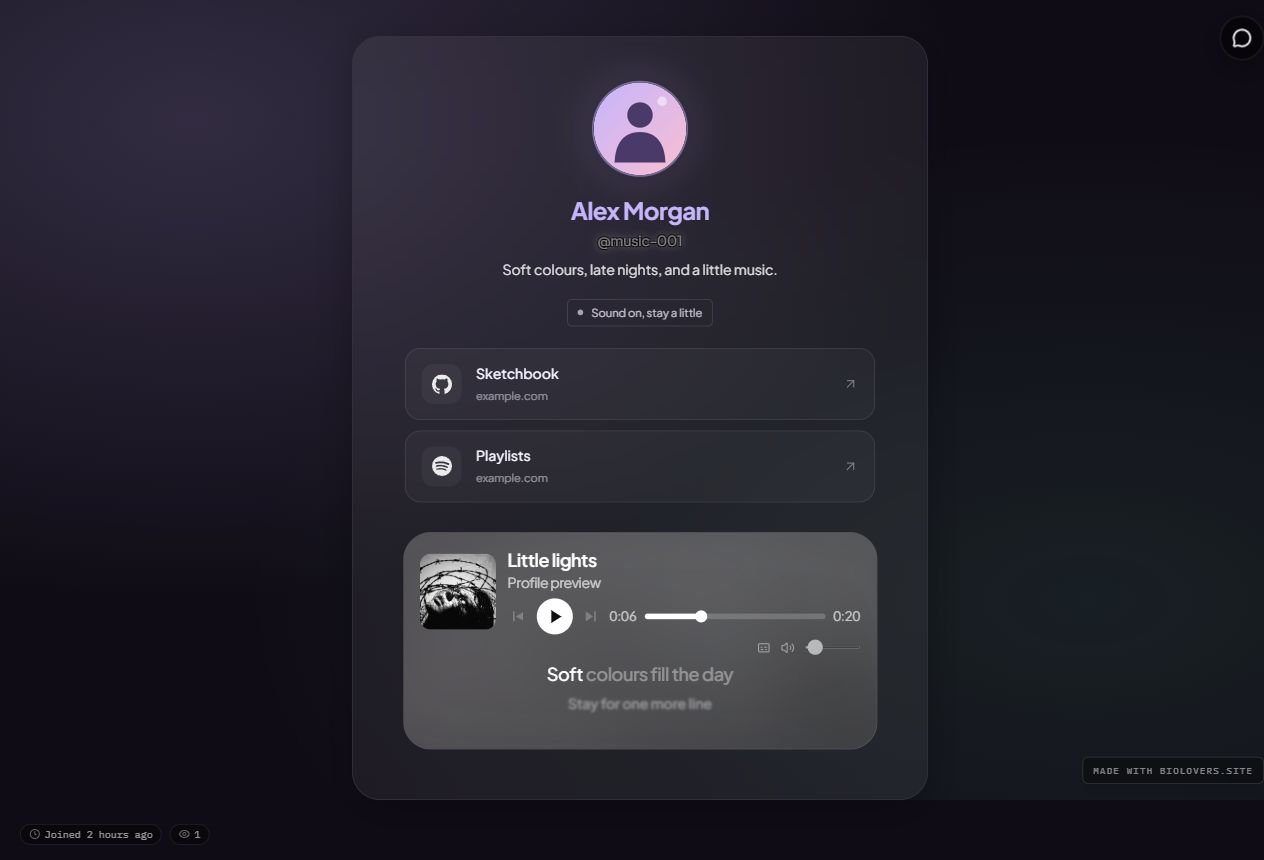
An example profile with a centered header, large avatar, link cards, ambient backdrop, and music inside the frame. The personal status and lyrics use Premium.
Header and avatar
On the Profile style panel, open Header & avatar:
Your existing avatar shape and Discord decoration still work with these choices. Change the picture itself in Music & images → Profile photo.
Header arrangement is separate from card width and spacing. Use Centered for the arrangement and Card width to control how much room the whole card gets.
Link cards and spotlight
- Add and save your links in Links & accounts → Your links.
- Return to Style → Profile style and open Links.
- Choose Link cards for larger rows with a name, destination, and arrow. Choose Current layout to keep your existing chips or buttons.
- Select a Spotlight link to feature one saved link above the others. Select None to clear it.
Personal status (Premium)
Open Status on the Profile style panel for a short message such as “Open for commissions” or “Working on something new.”- Enter up to 80 characters. Leave the message empty to hide it.
- Choose Neutral, Available, or Busy for its color.
- Pick Text for a simple line, Pill for a soft fill, or Tag for a fine outline.
Ambient backdrops
Open Backdrop in Style → Profile style:
These backdrops stay behind the page as visitors scroll. They are still designs, so reduced-motion settings do not remove them. For a photo or video, use Music & images → Background.