> ## Documentation Index
> Fetch the complete documentation index at: https://help.biolovers.site/llms.txt
> Use this file to discover all available pages before exploring further.
# Mobile (visitor view)
> How your profile looks on phones and tablets — and what to design around.
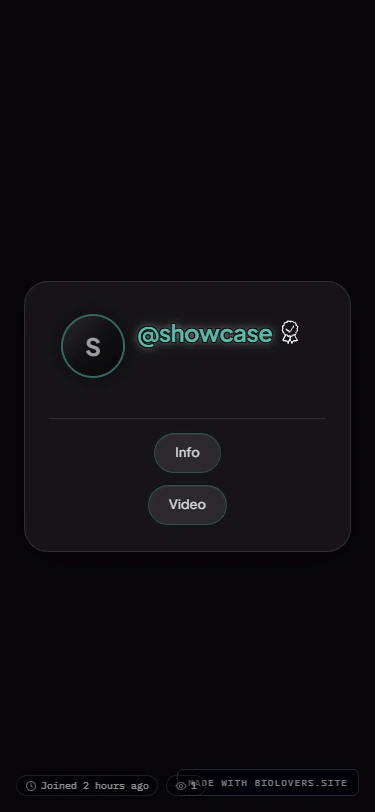 ## Layout differences
| Thing | Desktop | Mobile |
| ----------------- | ------------------------------------------ | ------------------------------------------------------------------------ |
| Card width | Up to \~720 px | \~95% of screen |
| Live tiles | Multi-column | Single column |
| Social link chips | Side-by-side row | Wrapping rows |
| Audio bar | Same controls — width adapts to the screen | Same controls — seek strip stacks under the play row on narrow viewports |
| Custom cursor | Custom image | **Not applied** — no pointer on touch |
| Page background | Image / video | Image / video |
There is **no separate "mobile fallback image"** field on the page background panel — the same media is used on both. If you don't want a video on mobile, host an image as your background and skip video altogether.
## Other mobile gotchas
* **Animated stuff** drains battery. Test your profile in Low Power Mode.
* **Tab title typewriter** keeps the tab title updating, which prevents Chrome on Android from sleeping the tab — costs more battery.
* **Glass / blurred chrome** can look stuttery on old phones. If you target a budget audience, prefer Solid chrome.
* **Splash + autoplay** — autoplay only kicks in after the splash tap on mobile; before that, the visitor sees the splash with no audio.
## Testing
* iPhone Safari has its own quirks — test there if you have one.
* Chrome DevTools (F12 → device toolbar) is good enough for layout tests.
* Real devices > simulators for performance checks.
## Layout differences
| Thing | Desktop | Mobile |
| ----------------- | ------------------------------------------ | ------------------------------------------------------------------------ |
| Card width | Up to \~720 px | \~95% of screen |
| Live tiles | Multi-column | Single column |
| Social link chips | Side-by-side row | Wrapping rows |
| Audio bar | Same controls — width adapts to the screen | Same controls — seek strip stacks under the play row on narrow viewports |
| Custom cursor | Custom image | **Not applied** — no pointer on touch |
| Page background | Image / video | Image / video |
There is **no separate "mobile fallback image"** field on the page background panel — the same media is used on both. If you don't want a video on mobile, host an image as your background and skip video altogether.
## Other mobile gotchas
* **Animated stuff** drains battery. Test your profile in Low Power Mode.
* **Tab title typewriter** keeps the tab title updating, which prevents Chrome on Android from sleeping the tab — costs more battery.
* **Glass / blurred chrome** can look stuttery on old phones. If you target a budget audience, prefer Solid chrome.
* **Splash + autoplay** — autoplay only kicks in after the splash tap on mobile; before that, the visitor sees the splash with no audio.
## Testing
* iPhone Safari has its own quirks — test there if you have one.
* Chrome DevTools (F12 → device toolbar) is good enough for layout tests.
* Real devices > simulators for performance checks.