> ## Documentation Index
> Fetch the complete documentation index at: https://help.biolovers.site/llms.txt
> Use this file to discover all available pages before exploring further.
# Audio player (visitor view)
> What the on-page audio bar looks like to visitors and how to control it.
When your profile has [background music](/media/background-music) on, an audio bar appears on the page so visitors can play / pause / skip / mute.
## Controls
| Button | What it does |
| ----------------------- | ------------------------------------------------------------------------------------------------------------------------------- |
| **Play / Pause** | Start or stop the current track. |
| **Next** | Next track. **Only shown when the playlist has 2+ tracks.** Single-track profiles have no next button. |
| **Previous** | Previous track (in shuffle, replays the last picked track). **Only shown when the playlist has 2+ tracks.** |
| **Volume slider** | 0–100%. Visitor's choice persists for the rest of their visit. |
| **Mute** | Quick mute toggle on the speaker icon. |
| **Track title + cover** | Always visible — shows the current track's title, artist, and album art when set on the [Audio panel](/media/background-music). |
There is **no auto-hide / fade-out** behavior — the bar stays visible while playback is active. The only way to hide the UI is to enable **Hidden** on the music bar settings (playback continues, the controls disappear).
## Position / chrome
You set the bar's placement on the [Audio panel](/media/background-music). Real options:
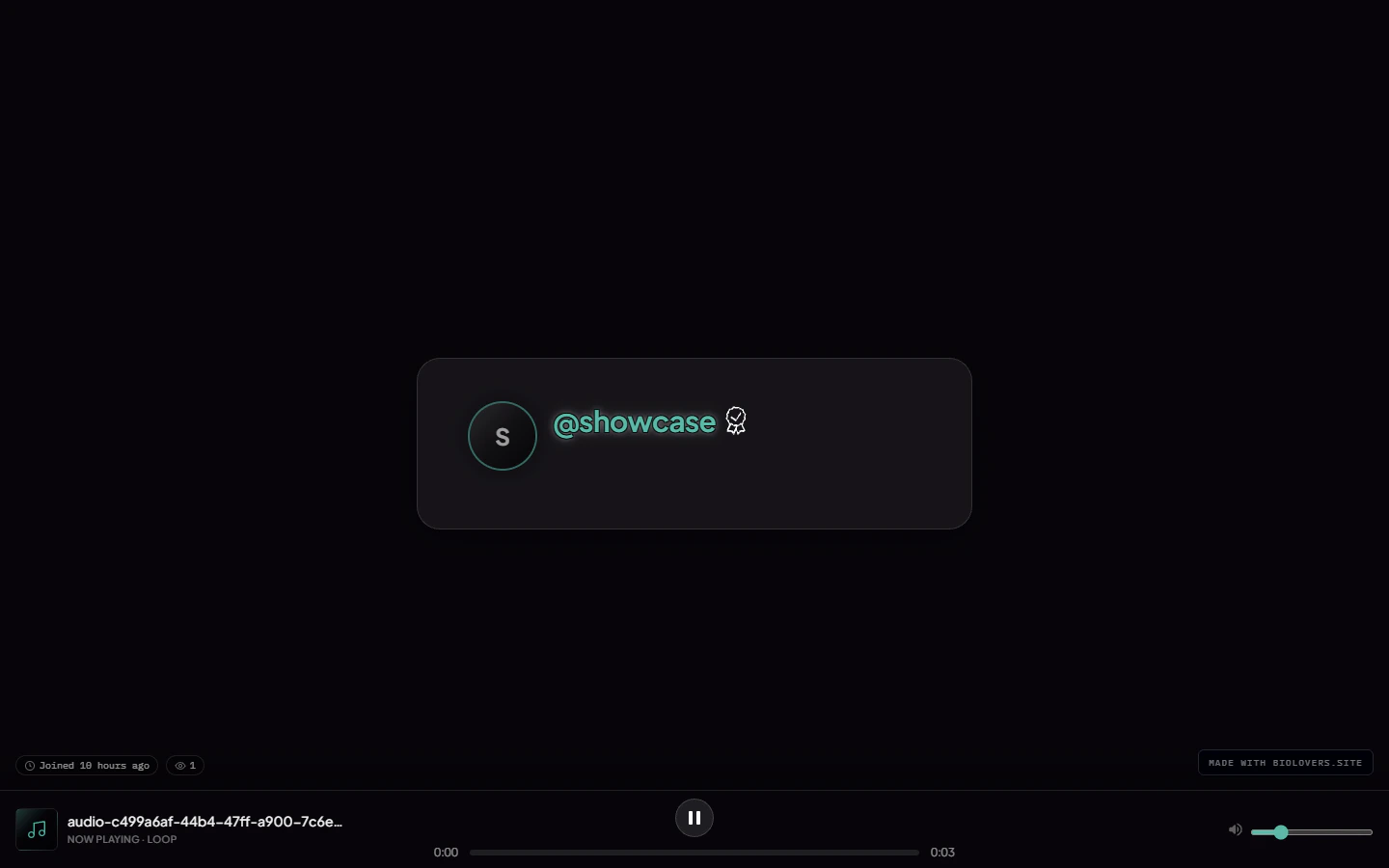
* **Viewport-fixed bottom** *(default)* — pinned to the bottom of the visitor's screen.
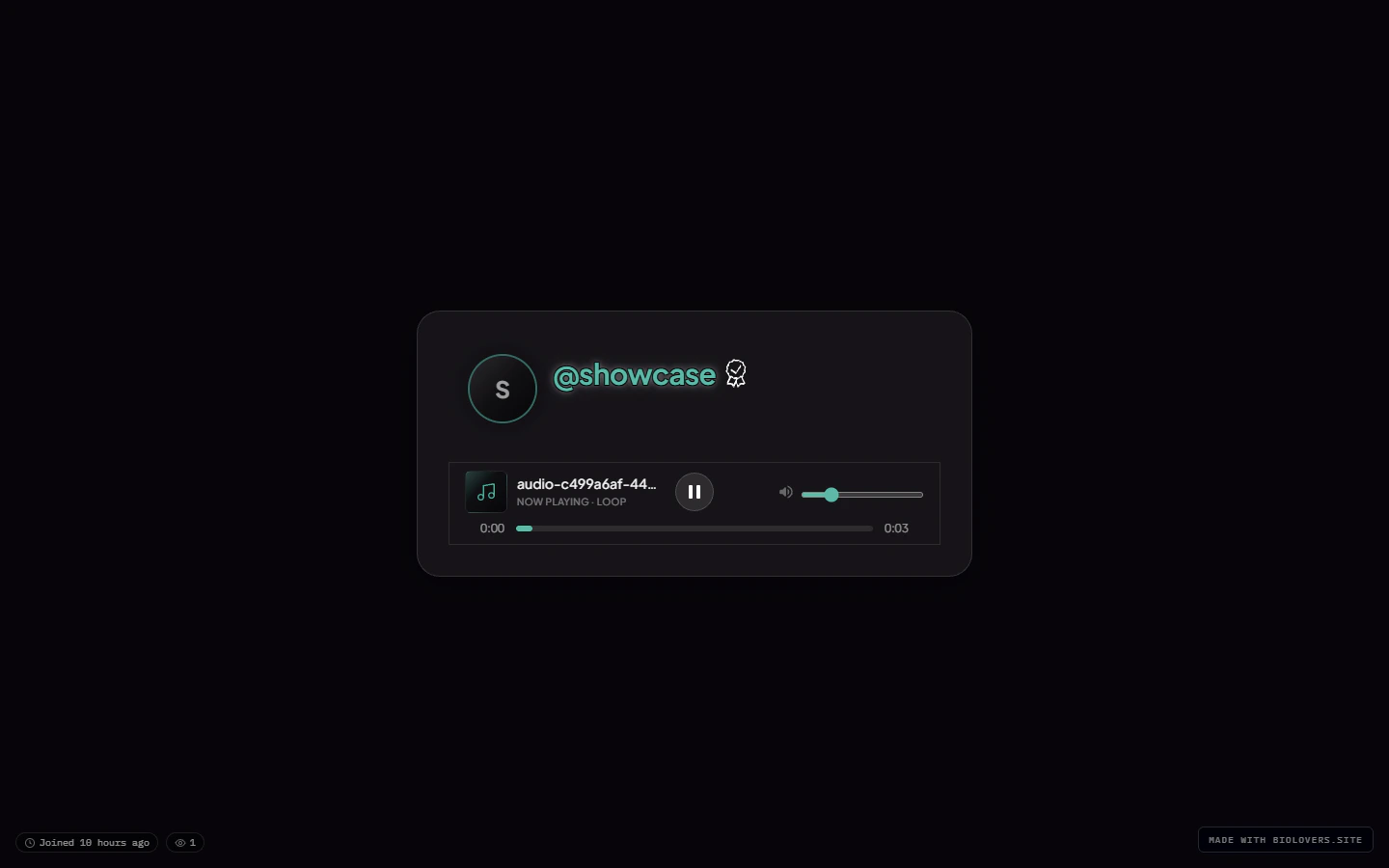
* **Attached** — docked inside the profile card.
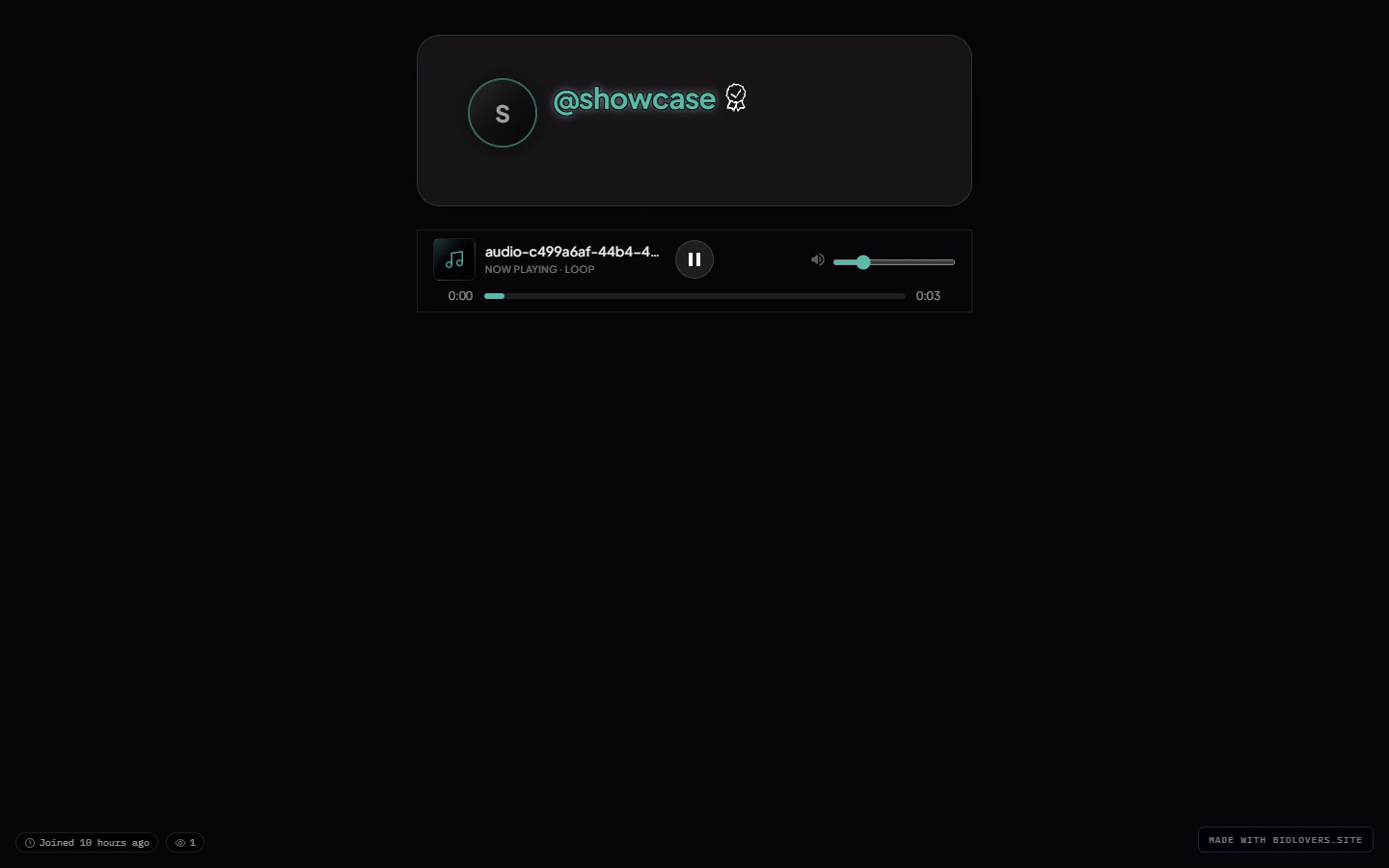
* **Below profile** — sits in the column below the card with a gap.
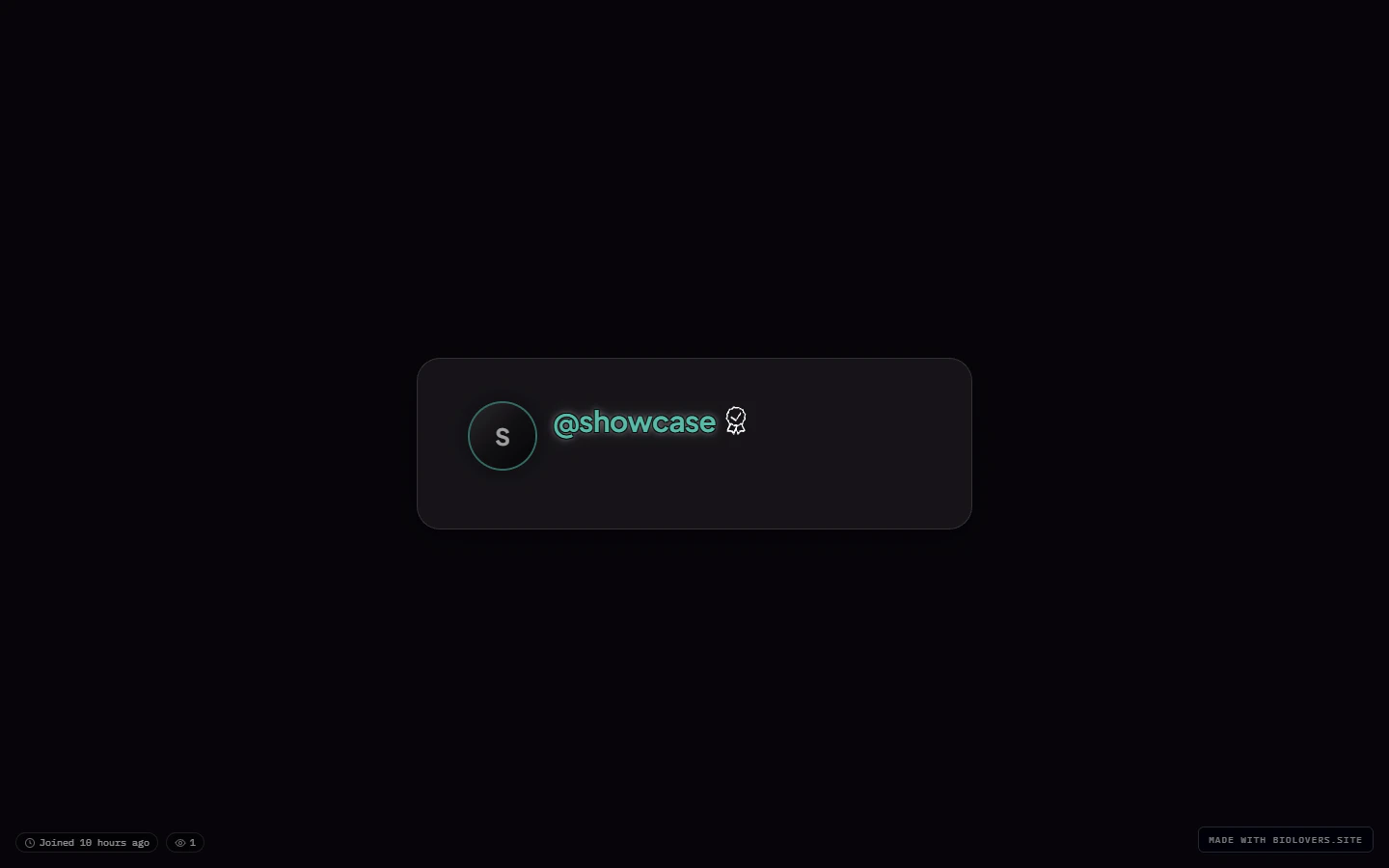
* **Hidden** — UI hidden, playback continues.
Plus the **panel style** for the bar's chrome: site default (matches card) / solid / glass / transparent. **Custom blur (0–50 px)** is Premium-only.
There is no left / center / right / floating-mini selector — the bar is always full-width inside its placement zone.
### Side-by-side: the four placements
The showcase profile with one short MP3 loaded, screenshotted from each placement option.
 ## Why it isn't playing
See [Audio won't autoplay](/troubleshooting/audio-autoplay).
## Why it isn't playing
See [Audio won't autoplay](/troubleshooting/audio-autoplay).