> ## Documentation Index
> Fetch the complete documentation index at: https://help.biolovers.site/llms.txt
> Use this file to discover all available pages before exploring further.
# What visitors see
> A tour of every part of your public profile — the splash, card, name row, stats, links, live tiles, widgets, audio bar.
This is what a visitor sees when they open `biolovers.site/yourname`. Everything below is fully optional — even a brand-new account is already a usable page.
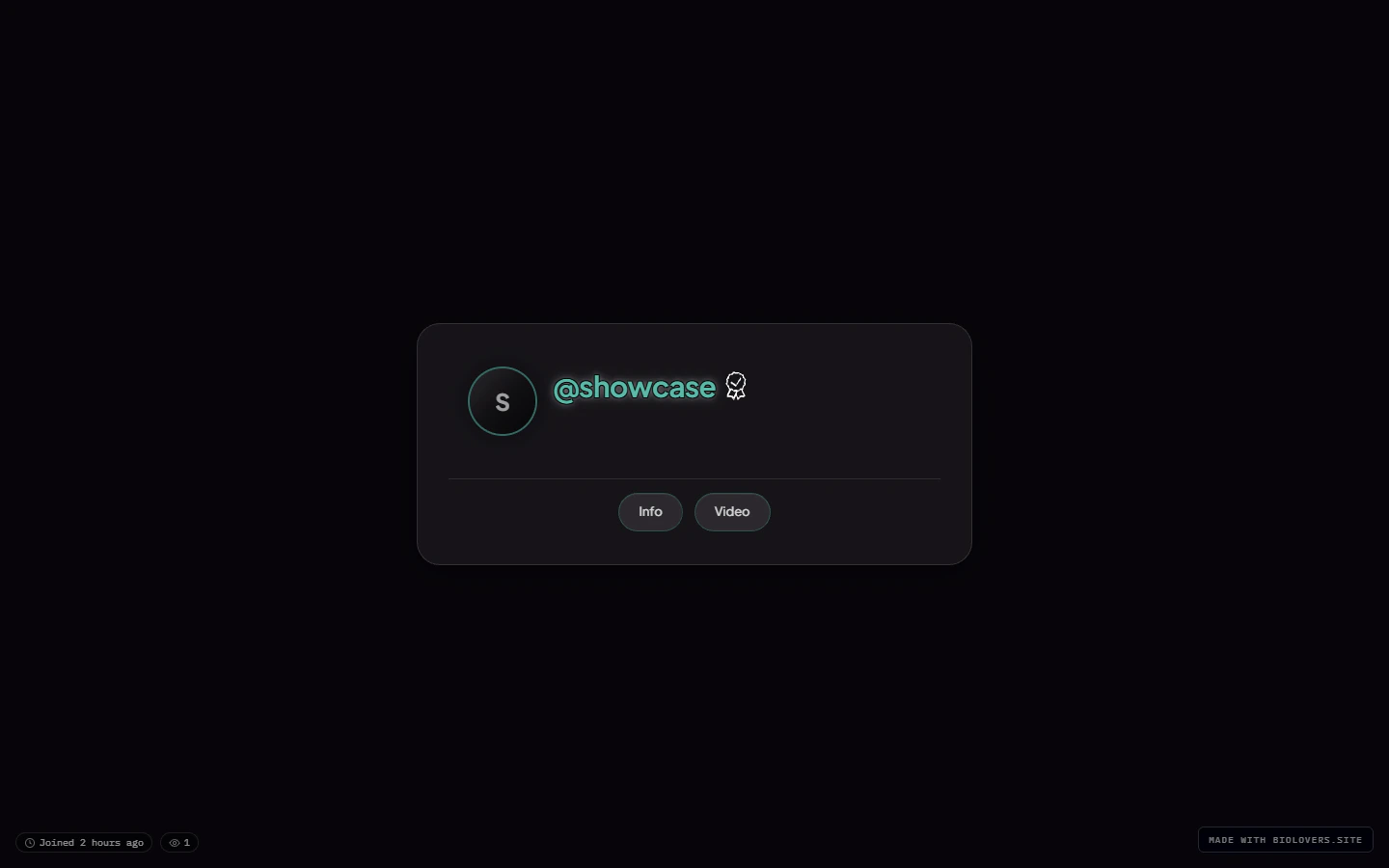 ## Layered structure (back to front)
1. **Page background** — image / video / color. See [Page background](/media/page-background).
2. **Audio player bar** *(optional)* — pinned to the viewport bottom by default; can be docked inside the card or moved to a gap below it. See [Audio player](/public-profile/audio-player).
3. **Profile card** — the main rectangle.
* **Avatar** at the top.
* **Display name + badges** below.
* **@handle** row (with optional UID popover).
* **Stats line** (views, joined, location, timezone).
* **Bio** (markdown).
* **Social link chips** (icon row).
* **Live tiles** (Spotify, YouTube, Steam, Discord, …).
* **Widgets** (gear shelf button, embed cards, infobox text, portfolio grid, Steam inventory button, gaming settings cards).
* **Watermark** at the bottom (free tier only).
4. **Custom cursor** *(optional)* — replaces the visitor's mouse arrow. See [Custom cursor](/media/custom-cursor).
5. **Splash** *(optional)* — overlays the whole thing on first load. See [Splash screen](/public-profile/splash-screen).
## Mobile
## Layered structure (back to front)
1. **Page background** — image / video / color. See [Page background](/media/page-background).
2. **Audio player bar** *(optional)* — pinned to the viewport bottom by default; can be docked inside the card or moved to a gap below it. See [Audio player](/public-profile/audio-player).
3. **Profile card** — the main rectangle.
* **Avatar** at the top.
* **Display name + badges** below.
* **@handle** row (with optional UID popover).
* **Stats line** (views, joined, location, timezone).
* **Bio** (markdown).
* **Social link chips** (icon row).
* **Live tiles** (Spotify, YouTube, Steam, Discord, …).
* **Widgets** (gear shelf button, embed cards, infobox text, portfolio grid, Steam inventory button, gaming settings cards).
* **Watermark** at the bottom (free tier only).
4. **Custom cursor** *(optional)* — replaces the visitor's mouse arrow. See [Custom cursor](/media/custom-cursor).
5. **Splash** *(optional)* — overlays the whole thing on first load. See [Splash screen](/public-profile/splash-screen).
## Mobile
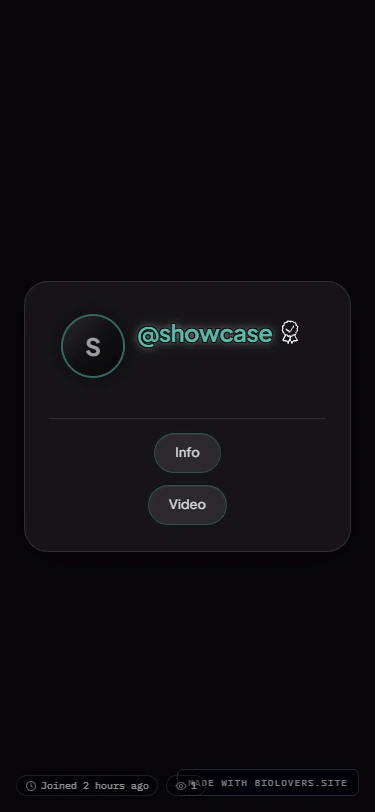 The card scales down to phone width. Everything stacks vertically. Live tiles drop to one column. The audio bar uses the same controls — width adapts to the screen, the seek strip hides under the play row on narrow viewports — there's no separate "mini" mode and no forced floating puck.
See [Mobile](/public-profile/mobile) for mobile-specific tips.
## Scroll-for-more pages
If you set up extra widget pages, they sit **below** the main card. Visitors scroll down to reach each. See [Scroll pages](/public-profile/scroll-pages).
The card scales down to phone width. Everything stacks vertically. Live tiles drop to one column. The audio bar uses the same controls — width adapts to the screen, the seek strip hides under the play row on narrow viewports — there's no separate "mini" mode and no forced floating puck.
See [Mobile](/public-profile/mobile) for mobile-specific tips.
## Scroll-for-more pages
If you set up extra widget pages, they sit **below** the main card. Visitors scroll down to reach each. See [Scroll pages](/public-profile/scroll-pages).