> ## Documentation Index
> Fetch the complete documentation index at: https://help.biolovers.site/llms.txt
> Use this file to discover all available pages before exploring further.
# Stats (the small line on your card)
> The little stats line shows things like profile views, joined date, location, and timezone. Pick which appear, in what positions, how the hover tooltip looks, and whether to show profile comments.
Page on the dashboard: dashboard.biolovers.site/dashboard/edit/profile/corner
This is the **small icon row** that sits on / under your profile card. Stats like profile views, joined, location, and timezone live here.
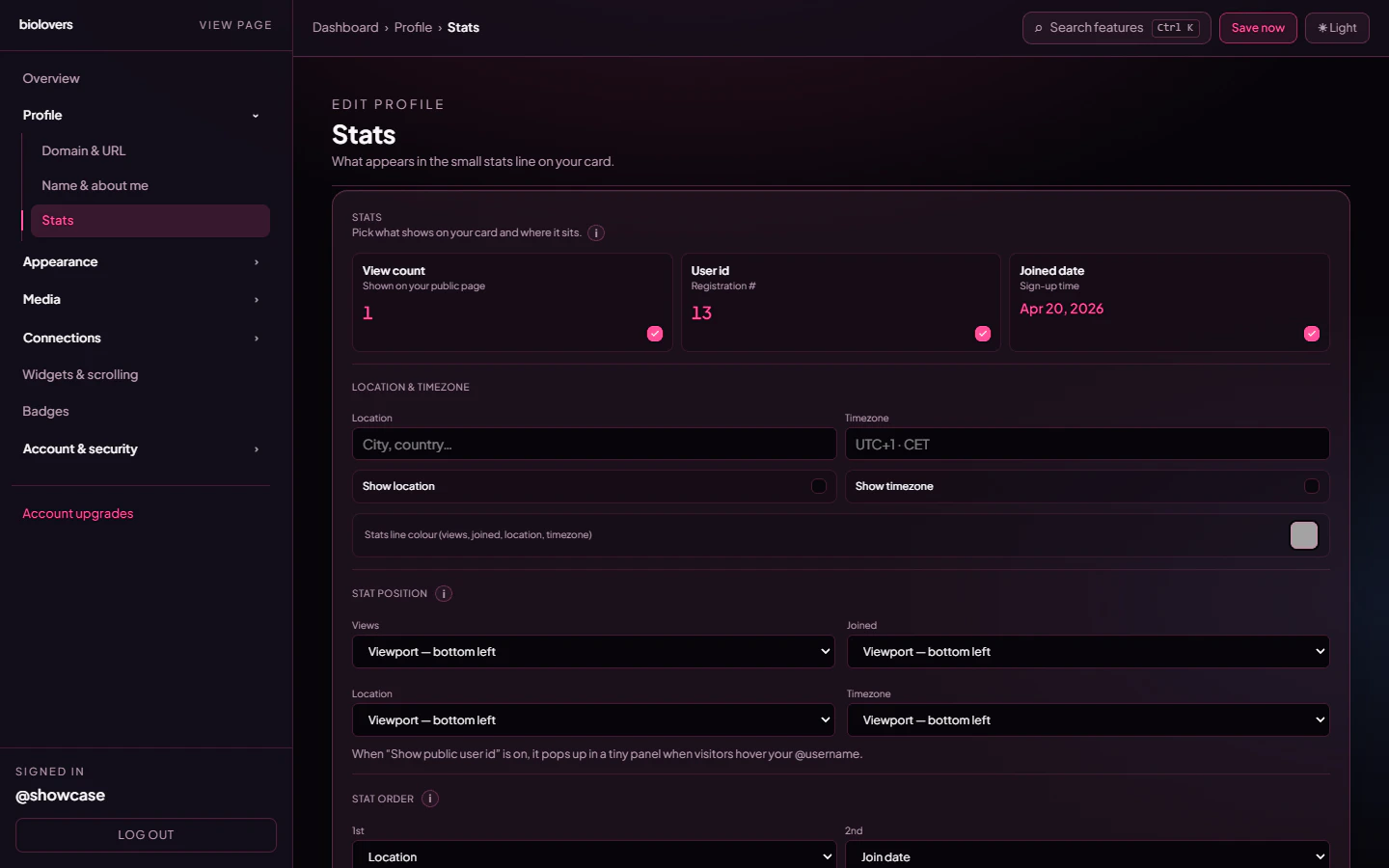 ## What stats are available
| Stat | What it shows | Notes |
| ----------------- | ---------------------------------------------------------------- | ------------------------------------------------------------------------------------------------------ |
| **Profile views** | All-time view count. | Same number as the Overview tile. **Premium** to hide it. |
| **Joined** | A relative age like "3 weeks ago" / "1 year ago". | Display is approximate; we don't expose the exact date / time to visitors. |
| **Location** | Country / region you typed below. | Free text. |
| **Timezone** | Free-text timezone label (e.g. `Europe/Berlin`, `EST`, `GMT+2`). | Static text — does not show a live clock. |
| **User id (UID)** | Your numeric account ID, also called **Registration #**. | Always shown in the @handle tooltip; **Premium** controls whether it appears as a dedicated meta pill. |
Each stat has a checkbox to **show / hide** it. The Profile views and User id checkboxes are **locked on** for free accounts (Premium can hide them).
## Positions
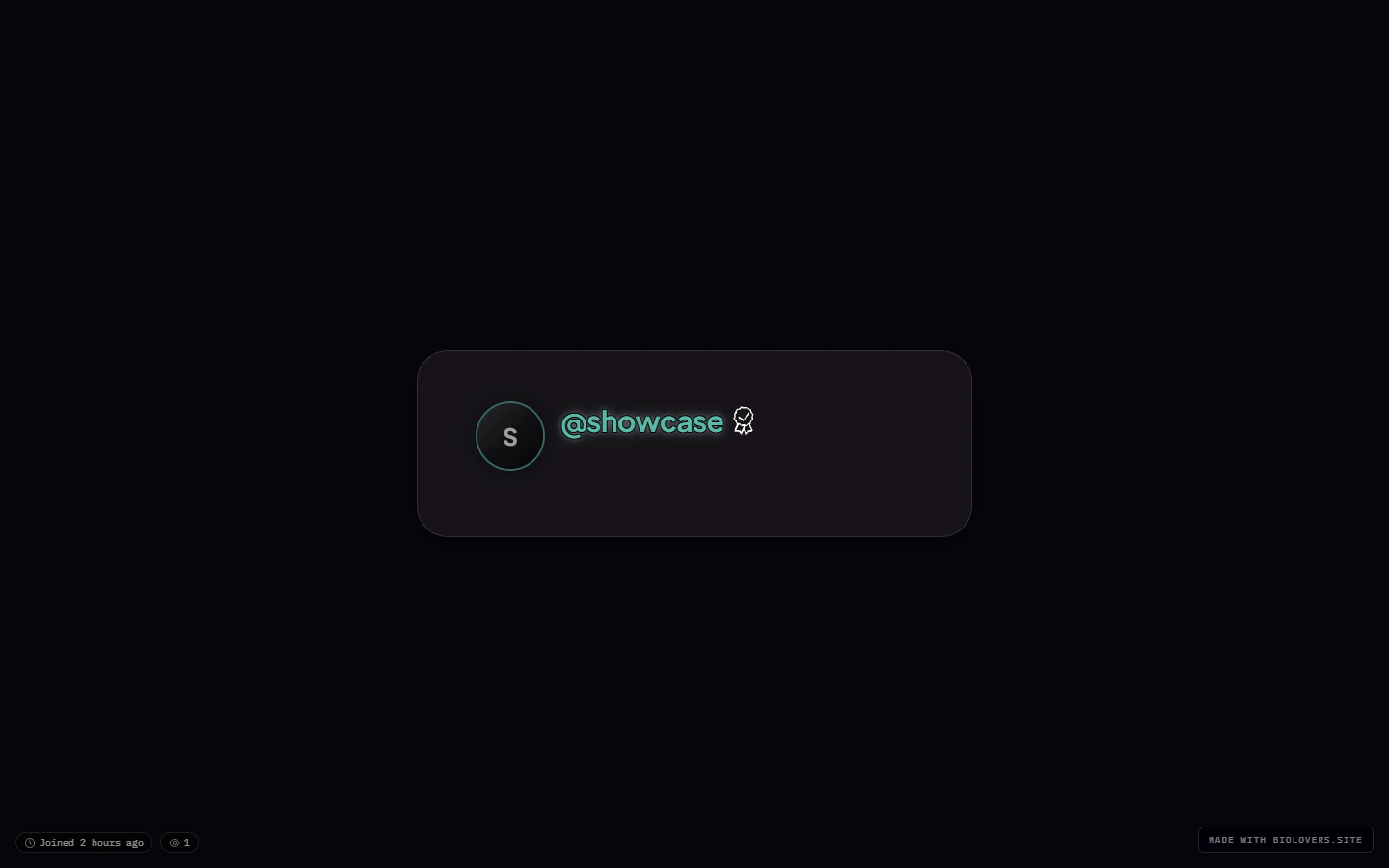
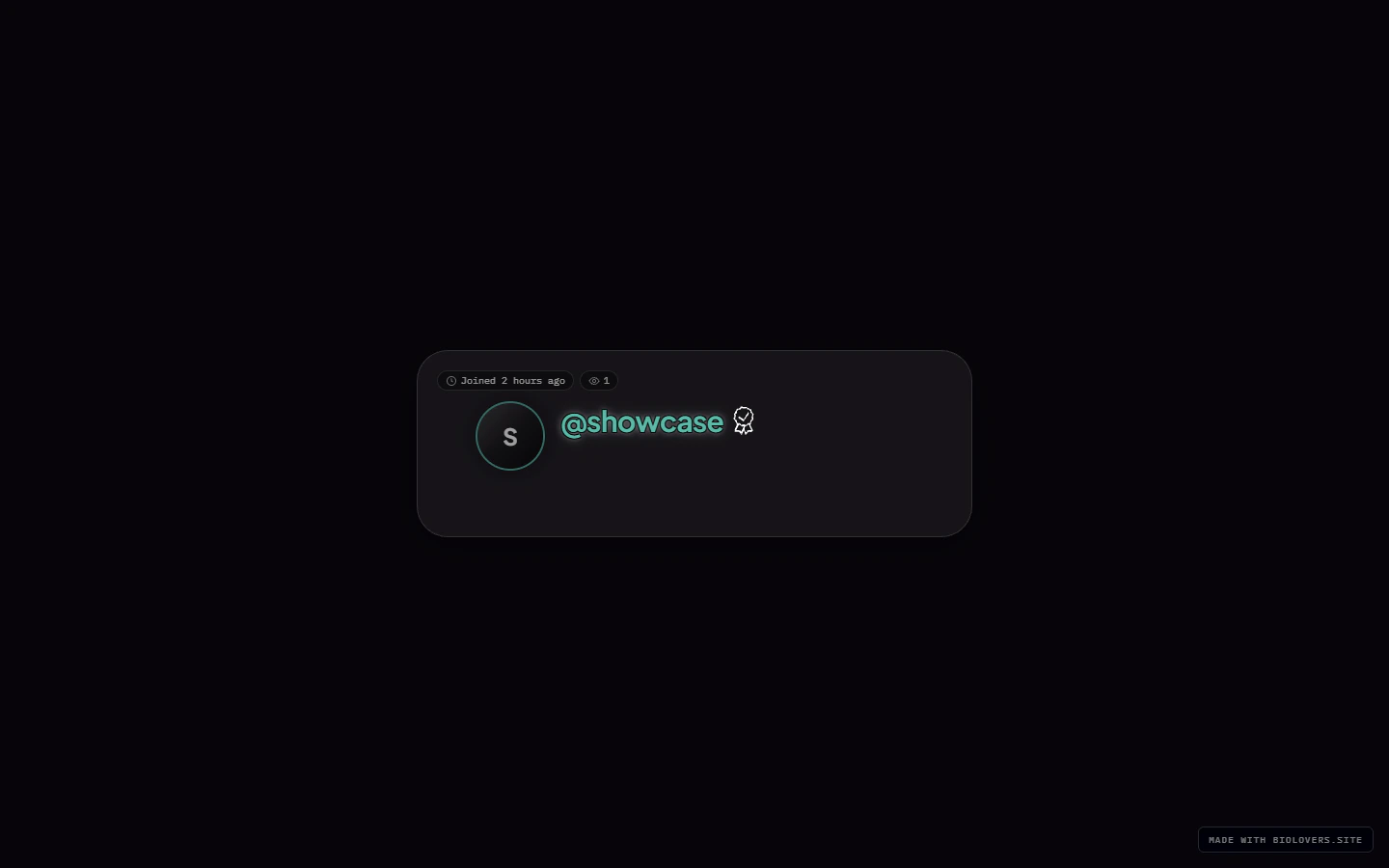
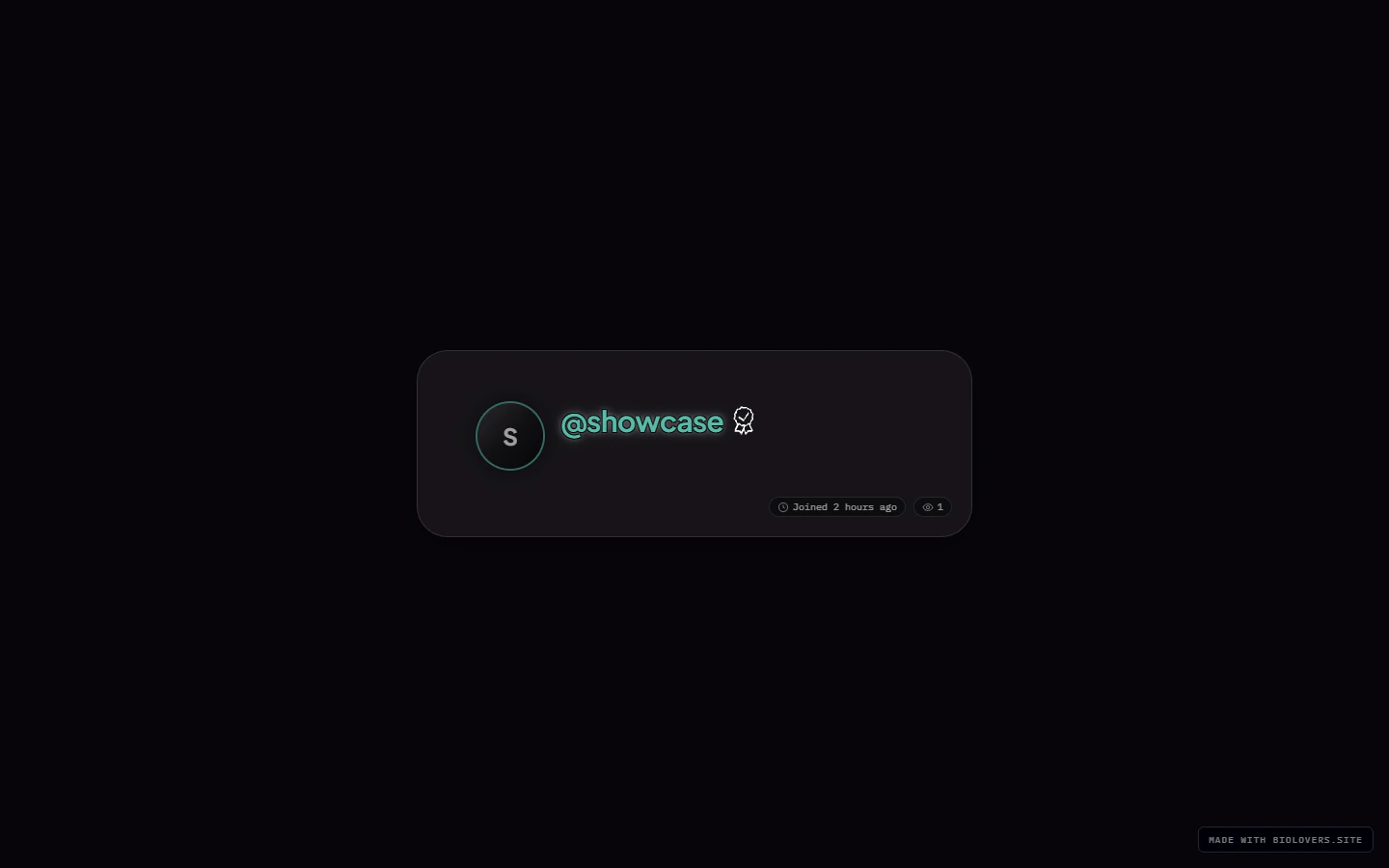
Each stat goes into one of four position slots picked from a dropdown — see `META_SLOT_OPTS` in the code. Unlike a drag list, this is a **set of dropdowns**: pick which slot each stat lives in, and the row is built in slot order.
If two stats share a slot, the later one wins (so make them unique).
### Same stats, different placements
## What stats are available
| Stat | What it shows | Notes |
| ----------------- | ---------------------------------------------------------------- | ------------------------------------------------------------------------------------------------------ |
| **Profile views** | All-time view count. | Same number as the Overview tile. **Premium** to hide it. |
| **Joined** | A relative age like "3 weeks ago" / "1 year ago". | Display is approximate; we don't expose the exact date / time to visitors. |
| **Location** | Country / region you typed below. | Free text. |
| **Timezone** | Free-text timezone label (e.g. `Europe/Berlin`, `EST`, `GMT+2`). | Static text — does not show a live clock. |
| **User id (UID)** | Your numeric account ID, also called **Registration #**. | Always shown in the @handle tooltip; **Premium** controls whether it appears as a dedicated meta pill. |
Each stat has a checkbox to **show / hide** it. The Profile views and User id checkboxes are **locked on** for free accounts (Premium can hide them).
## Positions
Each stat goes into one of four position slots picked from a dropdown — see `META_SLOT_OPTS` in the code. Unlike a drag list, this is a **set of dropdowns**: pick which slot each stat lives in, and the row is built in slot order.
If two stats share a slot, the later one wins (so make them unique).
### Same stats, different placements
 ## Hover tooltip style
Hover any stat icon and a small tooltip appears. Two looks:
* **Styled** — opaque background with the card's tint.
* **Transparent** — see-through with a soft blur.
## Meta line color *(Premium)*
A separate color picker lets Premium accounts override the meta-line color independently of the rest of the card.
## Profile comments *(Premium)*
The **Profile comments** section turns the chat-bubble comment button on your public page on or off, and picks which corner it sits in.
* **Show comments on my profile** — shows the chat bubble and lets logged-in visitors post.
* **Comment button position** — **Top left**, **Top right**, **Bottom left**, or **Bottom right**. Default is **Top right**.
On free accounts this section is greyed out with an upgrade nudge. Full details — limits, deleting, who can post — are on [Profile comments](/public-profile/comments).
## Tips
* The stats row gets crowded fast. Three pills usually look best.
* If you turn off **all** the optional stats and Premium-hide the locked ones, the row disappears entirely.
## Common questions
UIDs are just sequential numbers — early accounts have small numbers, newer ones bigger. Nothing personal in there.
By design — visitors only see a relative age ("3 weeks ago"). The full date isn't exposed.
Yes — type the country emoji into the **Location** field. They render as a flag on most devices.
The timezone field is a free-text label, not a live clock. If you want "current time", put it in your bio or a markdown widget — the meta pill just shows the label you typed.
Not as a drag list. Pick a position slot per stat from its dropdown — the row renders in slot order.
## Hover tooltip style
Hover any stat icon and a small tooltip appears. Two looks:
* **Styled** — opaque background with the card's tint.
* **Transparent** — see-through with a soft blur.
## Meta line color *(Premium)*
A separate color picker lets Premium accounts override the meta-line color independently of the rest of the card.
## Profile comments *(Premium)*
The **Profile comments** section turns the chat-bubble comment button on your public page on or off, and picks which corner it sits in.
* **Show comments on my profile** — shows the chat bubble and lets logged-in visitors post.
* **Comment button position** — **Top left**, **Top right**, **Bottom left**, or **Bottom right**. Default is **Top right**.
On free accounts this section is greyed out with an upgrade nudge. Full details — limits, deleting, who can post — are on [Profile comments](/public-profile/comments).
## Tips
* The stats row gets crowded fast. Three pills usually look best.
* If you turn off **all** the optional stats and Premium-hide the locked ones, the row disappears entirely.
## Common questions
UIDs are just sequential numbers — early accounts have small numbers, newer ones bigger. Nothing personal in there.
By design — visitors only see a relative age ("3 weeks ago"). The full date isn't exposed.
Yes — type the country emoji into the **Location** field. They render as a flag on most devices.
The timezone field is a free-text label, not a live clock. If you want "current time", put it in your bio or a markdown widget — the meta pill just shows the label you typed.
Not as a drag list. Pick a position slot per stat from its dropdown — the row renders in slot order.