> ## Documentation Index
> Fetch the complete documentation index at: https://help.biolovers.site/llms.txt
> Use this file to discover all available pages before exploring further.
# Log in
> Sign in to your Biolovers dashboard with your username and password. Two-step sign-in adds a 6-digit authenticator code on top.
Page on the dashboard: dashboard.biolovers.site/login
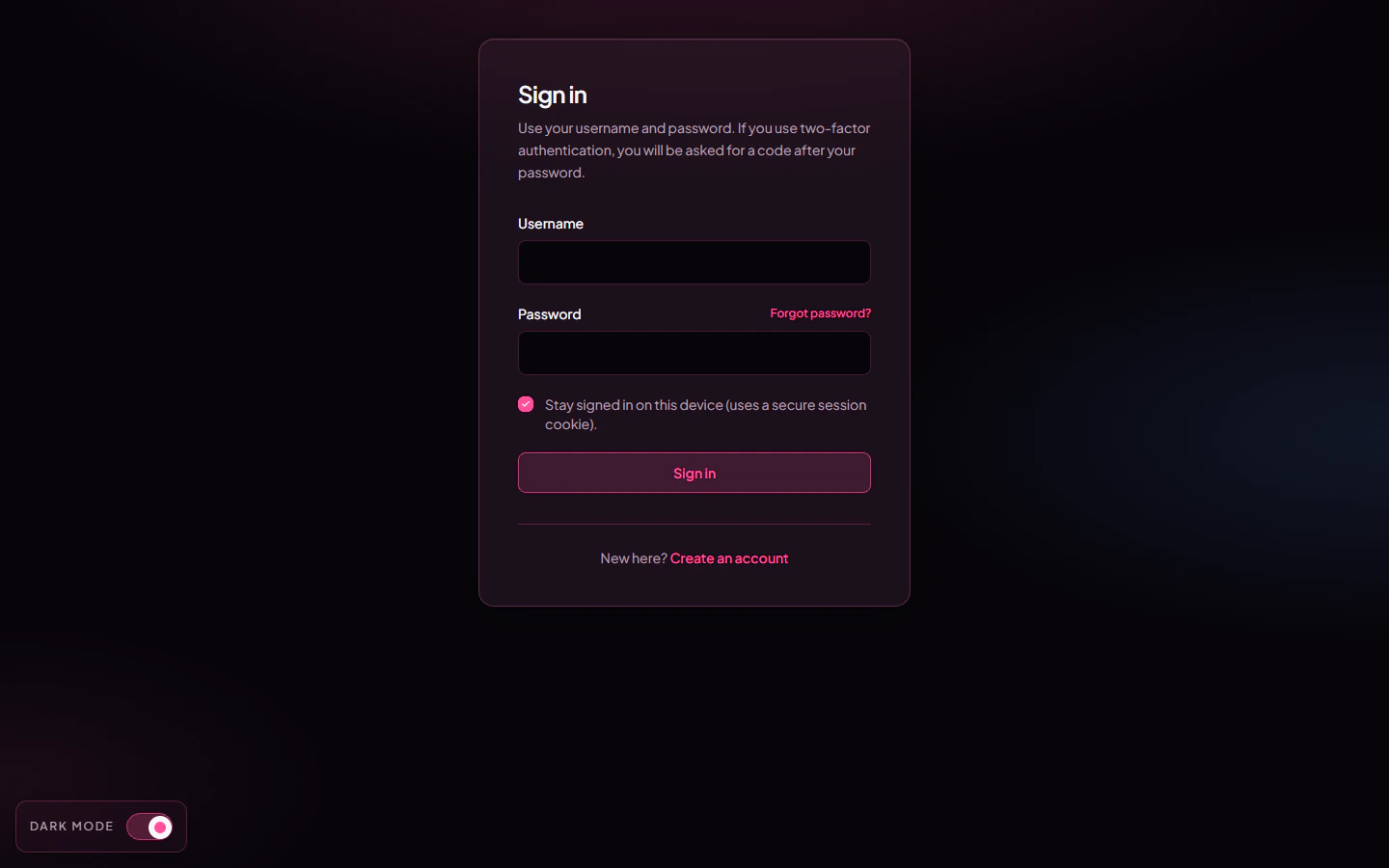 ## What you fill in
| Field | What it does |
| -------------------------------------------------------- | ----------------------------------------------------- |
| **Username** | The username you signed up with. Not case-sensitive. |
| **Password** | Whatever you set at signup or last changed it to. |
| **Authenticator code** *(only shown if you have 2FA on)* | The current 6-digit code from your authenticator app. |
Tap **Sign in**. You land on the dashboard's edit page (`/edit`).
## Sign in with Discord or Google
Below the form there are two buttons — **Continue with Discord** and **Continue with Google**. One click is all it takes:
* If you've signed in with that provider here before, you go straight to your dashboard.
* With Google, if the Google email matches an account you already have, it links Google to that account and signs you in.
* If there's no match, it makes you a brand-new account on the spot — see [Make an account](/getting-started/sign-up).
Discord matches you by your **Discord account**; Google matches by your **Google account**. Either way the email from the provider is filled in for you and already counts as **verified**, so there's nothing to add or confirm afterwards.
You don't need a password to use these. They're the same buttons on the sign-up page, so one tap either logs you in or creates the account.
## I forgot my password
Two paths back in:
1. **Email reset** — works if you added and verified an email. See [Forgot password](/getting-started/forgot-password). We email you a one-time link that expires in 30 minutes.
2. **Reach out to us** — if you never added an email, see [No email and forgot password](/troubleshooting/no-email-no-password). You'll need to prove the account is yours.
There is **no recovery phrase / 12-word backup** on Biolovers. The only self-serve reset is email.
## I lost my 2FA device
See [I lost my 2FA](/troubleshooting/lost-2fa).
## Why am I getting "too many requests"?
To stop bots from guessing passwords, the dashboard rate-limits sign-in attempts per IP address (24 requests per minute on `/api/auth/*`). If you triggered it, wait about a minute and try again. The same limit applies to forgot-password and 2FA submissions.
## Common questions
Editing happens on a separate **dashboard** subdomain. The main site (`biolovers.site`) is for visitors and the marketing pages. The "Login" link in the top-right of the main site sends you to the dashboard automatically.
Yes. The session cookie lasts about 90 days by default. If you tap **Log out** in the dashboard sidebar or clear your cookies, you'll have to sign in again.
Watch out for accidental spaces, Caps Lock, and your phone autocorrect adding a period. If it really is wrong, use [Forgot password](/getting-started/forgot-password).
## What you fill in
| Field | What it does |
| -------------------------------------------------------- | ----------------------------------------------------- |
| **Username** | The username you signed up with. Not case-sensitive. |
| **Password** | Whatever you set at signup or last changed it to. |
| **Authenticator code** *(only shown if you have 2FA on)* | The current 6-digit code from your authenticator app. |
Tap **Sign in**. You land on the dashboard's edit page (`/edit`).
## Sign in with Discord or Google
Below the form there are two buttons — **Continue with Discord** and **Continue with Google**. One click is all it takes:
* If you've signed in with that provider here before, you go straight to your dashboard.
* With Google, if the Google email matches an account you already have, it links Google to that account and signs you in.
* If there's no match, it makes you a brand-new account on the spot — see [Make an account](/getting-started/sign-up).
Discord matches you by your **Discord account**; Google matches by your **Google account**. Either way the email from the provider is filled in for you and already counts as **verified**, so there's nothing to add or confirm afterwards.
You don't need a password to use these. They're the same buttons on the sign-up page, so one tap either logs you in or creates the account.
## I forgot my password
Two paths back in:
1. **Email reset** — works if you added and verified an email. See [Forgot password](/getting-started/forgot-password). We email you a one-time link that expires in 30 minutes.
2. **Reach out to us** — if you never added an email, see [No email and forgot password](/troubleshooting/no-email-no-password). You'll need to prove the account is yours.
There is **no recovery phrase / 12-word backup** on Biolovers. The only self-serve reset is email.
## I lost my 2FA device
See [I lost my 2FA](/troubleshooting/lost-2fa).
## Why am I getting "too many requests"?
To stop bots from guessing passwords, the dashboard rate-limits sign-in attempts per IP address (24 requests per minute on `/api/auth/*`). If you triggered it, wait about a minute and try again. The same limit applies to forgot-password and 2FA submissions.
## Common questions
Editing happens on a separate **dashboard** subdomain. The main site (`biolovers.site`) is for visitors and the marketing pages. The "Login" link in the top-right of the main site sends you to the dashboard automatically.
Yes. The session cookie lasts about 90 days by default. If you tap **Log out** in the dashboard sidebar or clear your cookies, you'll have to sign in again.
Watch out for accidental spaces, Caps Lock, and your phone autocorrect adding a period. If it really is wrong, use [Forgot password](/getting-started/forgot-password).