> ## Documentation Index
> Fetch the complete documentation index at: https://help.biolovers.site/llms.txt
> Use this file to discover all available pages before exploring further.
# Wallets & PayPal (tip addresses)
> Four fixed crypto address fields plus a PayPal field. Visitors tap an icon to copy the address or open PayPal.
Page on the dashboard: dashboard.biolovers.site/dashboard/edit/connect/tips
Show your wallet addresses and PayPal link on your profile so people can tip you. Visitors tap the icon to copy the address (or open PayPal) — the raw text is never shown on the public page.
 ## What's on the panel
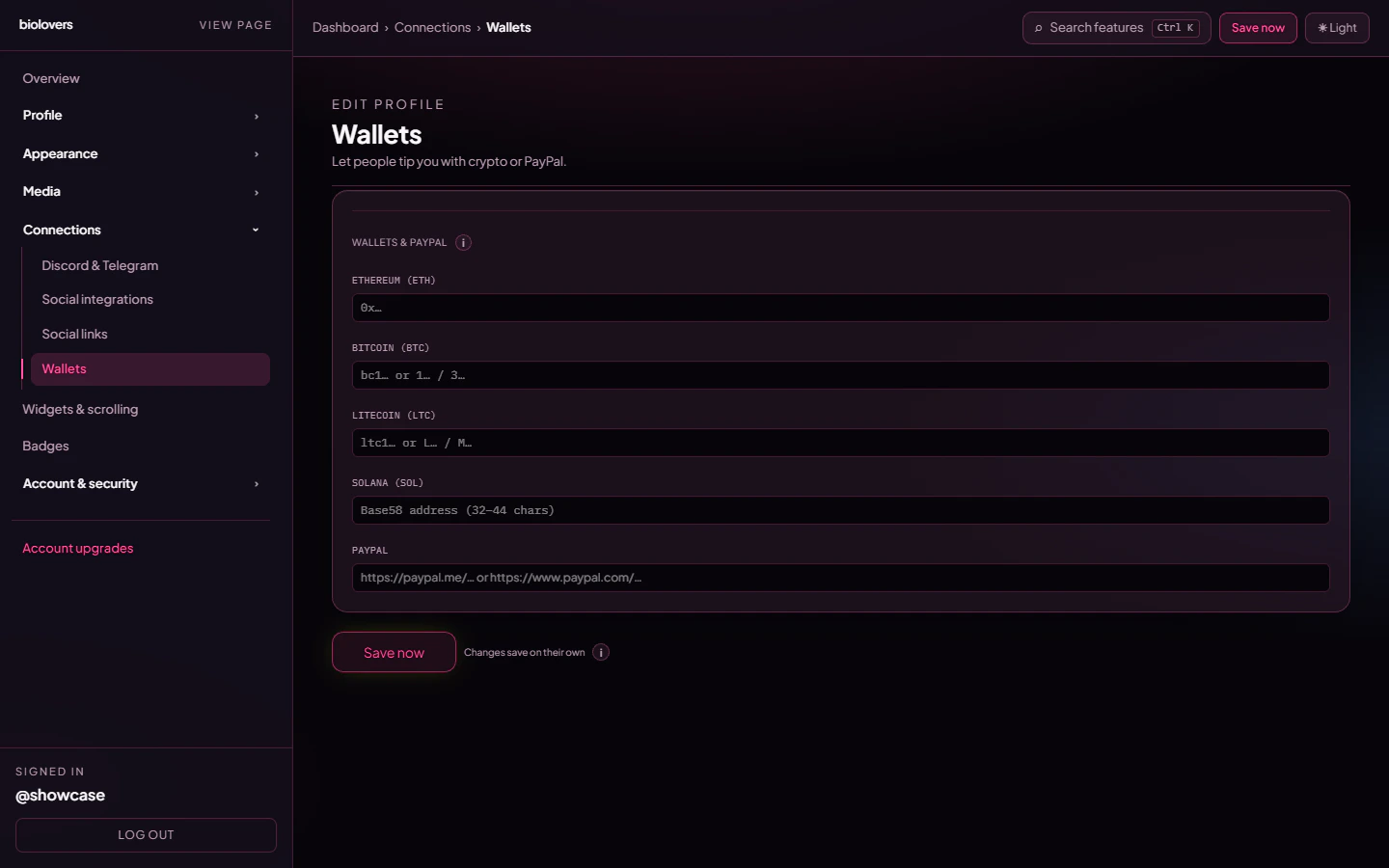
The **Wallets & PayPal** section has **five fixed inputs** — no add / remove, no per-wallet labels, no chain picker. Leave any field blank to hide that chip on the public page.
| Field | Format expected |
| ------------------ | --------------------------------------------------- |
| **Ethereum (ETH)** | `0x…` |
| **Bitcoin (BTC)** | `bc1…` or legacy `1…` / `3…` |
| **Litecoin (LTC)** | `ltc1…` or legacy `L…` / `M…` |
| **Solana (SOL)** | Base58 address (32–44 chars) |
| **PayPal** | `https://paypal.me/…` or `https://www.paypal.com/…` |
Other chains (XMR / DOGE / TON / USDC / ENS, etc.) are **not** in this panel. The schema only persists these four addresses + PayPal.
## How visitors interact
On the public profile, each filled field renders as a small icon chip. Tapping it:
* **Crypto** — copies the address to the clipboard.
* **PayPal** — opens your PayPal link in a new tab.
Addresses are never displayed as raw text — there's no QR code generated from this panel either. People paste the copied address into their own wallet app.
## Custom variant
The panel also persists `cryptoWalletIconVariant` (`white` / `black` / default) — this lets the icon row pick a contrast variant when your card has a particular background. There is no upload-your-own-wallet-icon feature.
## Tips
* **Triple-check addresses.** Crypto sends are irreversible. We don't validate addresses against the chain.
* **Use a fresh address** for tips so the wallet you actually keep funds in stays unexposed.
* The PayPal field is just a URL — it can point at `paypal.me`, a `paypal.com` checkout, or a hosted button.
## Common questions
Not from this panel. The dashboard only persists ETH / BTC / LTC / SOL / PayPal. For other chains, add a custom social link chip on [Social links](/connections/social-links) pointing at a public address page (e.g. an explorer URL) — visitors won't be able to one-tap copy, but they can read it.
The icon chip is, yes — and tapping it copies the address. Anyone visiting your profile can copy your tip address.
Not on this panel — the inputs don't take labels. Use one address per chain and pick the wallet you want public.
There's no QR code on the public profile for these tip chips. The address copies to the clipboard on tap.
## What's on the panel
The **Wallets & PayPal** section has **five fixed inputs** — no add / remove, no per-wallet labels, no chain picker. Leave any field blank to hide that chip on the public page.
| Field | Format expected |
| ------------------ | --------------------------------------------------- |
| **Ethereum (ETH)** | `0x…` |
| **Bitcoin (BTC)** | `bc1…` or legacy `1…` / `3…` |
| **Litecoin (LTC)** | `ltc1…` or legacy `L…` / `M…` |
| **Solana (SOL)** | Base58 address (32–44 chars) |
| **PayPal** | `https://paypal.me/…` or `https://www.paypal.com/…` |
Other chains (XMR / DOGE / TON / USDC / ENS, etc.) are **not** in this panel. The schema only persists these four addresses + PayPal.
## How visitors interact
On the public profile, each filled field renders as a small icon chip. Tapping it:
* **Crypto** — copies the address to the clipboard.
* **PayPal** — opens your PayPal link in a new tab.
Addresses are never displayed as raw text — there's no QR code generated from this panel either. People paste the copied address into their own wallet app.
## Custom variant
The panel also persists `cryptoWalletIconVariant` (`white` / `black` / default) — this lets the icon row pick a contrast variant when your card has a particular background. There is no upload-your-own-wallet-icon feature.
## Tips
* **Triple-check addresses.** Crypto sends are irreversible. We don't validate addresses against the chain.
* **Use a fresh address** for tips so the wallet you actually keep funds in stays unexposed.
* The PayPal field is just a URL — it can point at `paypal.me`, a `paypal.com` checkout, or a hosted button.
## Common questions
Not from this panel. The dashboard only persists ETH / BTC / LTC / SOL / PayPal. For other chains, add a custom social link chip on [Social links](/connections/social-links) pointing at a public address page (e.g. an explorer URL) — visitors won't be able to one-tap copy, but they can read it.
The icon chip is, yes — and tapping it copies the address. Anyone visiting your profile can copy your tip address.
Not on this panel — the inputs don't take labels. Use one address per chain and pick the wallet you want public.
There's no QR code on the public profile for these tip chips. The address copies to the clipboard on tap.