> ## Documentation Index
> Fetch the complete documentation index at: https://help.biolovers.site/llms.txt
> Use this file to discover all available pages before exploring further.
# Earned badges
> Site badges next to your name on the public profile — Premium, Verified, Donator tiers (Bronze / Silver / Gold), Server Booster, Owner, Staff.
Page on the dashboard: dashboard.biolovers.site/dashboard/edit/badges
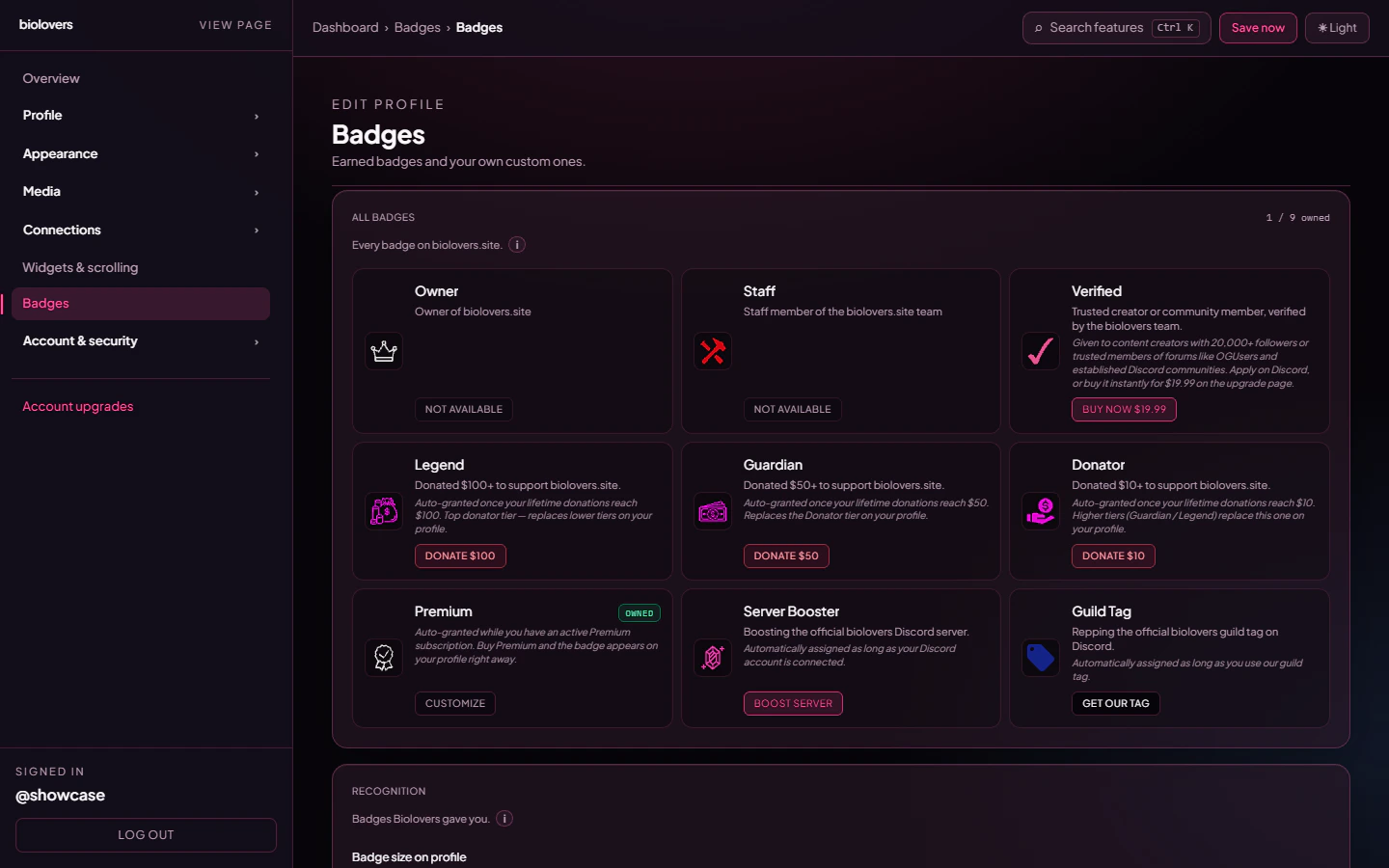
Site badges are small icons next to your display name on your public profile. Some are **earned** (we add them automatically when you qualify); some are **bought** (Verified, Custom badges); some are **manual** (Owner, Staff).
 ## Site badges
These are the slugs that can appear next to your name (`Profile.siteBadges`). Labels and icons come from the admin-managed catalog (`BadgeDefinition`).
| Slug | Default label | How you get it |
| ----------------- | ------------- | ----------------------------------------------------------------------------------------------------------------------------------------------- |
| `owner` | Owner | Granted by the team — owners of biolovers.site. |
| `staff` | Staff | Granted by the team to staff members. Cannot be bought. |
| `premium` | Premium | Auto-applied while your account has Premium. |
| `donator_bronze` | (catalog) | Lifetime donations ≥ **\$10**. |
| `donator_silver` | (catalog) | Lifetime donations ≥ **\$50**. |
| `donator_gold` | (catalog) | Lifetime donations ≥ **\$100**. |
| `inviter_t1` | Inviter | **5** successful referrals via your `/ref` link. See [Referrals](/account/referrals). |
| `inviter_t2` | Inviter II | **15** successful referrals. |
| `inviter_t3` | Inviter III | **50** successful referrals (also unlocks the Verified badge). |
| `discord_booster` | (catalog) | Auto-synced when you **boost the Biolovers Discord server** (the bot listens for `guildMemberUpdate` / `Add` / `Remove` and toggles the badge). |
| Custom | (your label) | Bought slots, your own image. See [Custom badges](/badges/custom-badges). |
Only the **highest donator / inviter tier** ever shows by default — bronze is replaced by silver when you cross into silver, and so on (same goes for Inviter I → II → III). You can change that per family using the modal described below.
## Tiered families
Some badges come in stacks: **Donator** (Bronze / Silver / Gold) and **Inviter** (I / II / III). On your gallery these collapse into a single tile per family. Click the tile to open the **family modal**, where every tier is laid out side-by-side: tiers you already own are highlighted, locked tiers show the unlock hint.
## Site badges
These are the slugs that can appear next to your name (`Profile.siteBadges`). Labels and icons come from the admin-managed catalog (`BadgeDefinition`).
| Slug | Default label | How you get it |
| ----------------- | ------------- | ----------------------------------------------------------------------------------------------------------------------------------------------- |
| `owner` | Owner | Granted by the team — owners of biolovers.site. |
| `staff` | Staff | Granted by the team to staff members. Cannot be bought. |
| `premium` | Premium | Auto-applied while your account has Premium. |
| `donator_bronze` | (catalog) | Lifetime donations ≥ **\$10**. |
| `donator_silver` | (catalog) | Lifetime donations ≥ **\$50**. |
| `donator_gold` | (catalog) | Lifetime donations ≥ **\$100**. |
| `inviter_t1` | Inviter | **5** successful referrals via your `/ref` link. See [Referrals](/account/referrals). |
| `inviter_t2` | Inviter II | **15** successful referrals. |
| `inviter_t3` | Inviter III | **50** successful referrals (also unlocks the Verified badge). |
| `discord_booster` | (catalog) | Auto-synced when you **boost the Biolovers Discord server** (the bot listens for `guildMemberUpdate` / `Add` / `Remove` and toggles the badge). |
| Custom | (your label) | Bought slots, your own image. See [Custom badges](/badges/custom-badges). |
Only the **highest donator / inviter tier** ever shows by default — bronze is replaced by silver when you cross into silver, and so on (same goes for Inviter I → II → III). You can change that per family using the modal described below.
## Tiered families
Some badges come in stacks: **Donator** (Bronze / Silver / Gold) and **Inviter** (I / II / III). On your gallery these collapse into a single tile per family. Click the tile to open the **family modal**, where every tier is laid out side-by-side: tiers you already own are highlighted, locked tiers show the unlock hint.
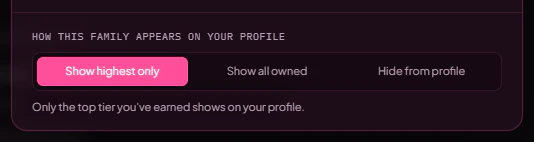
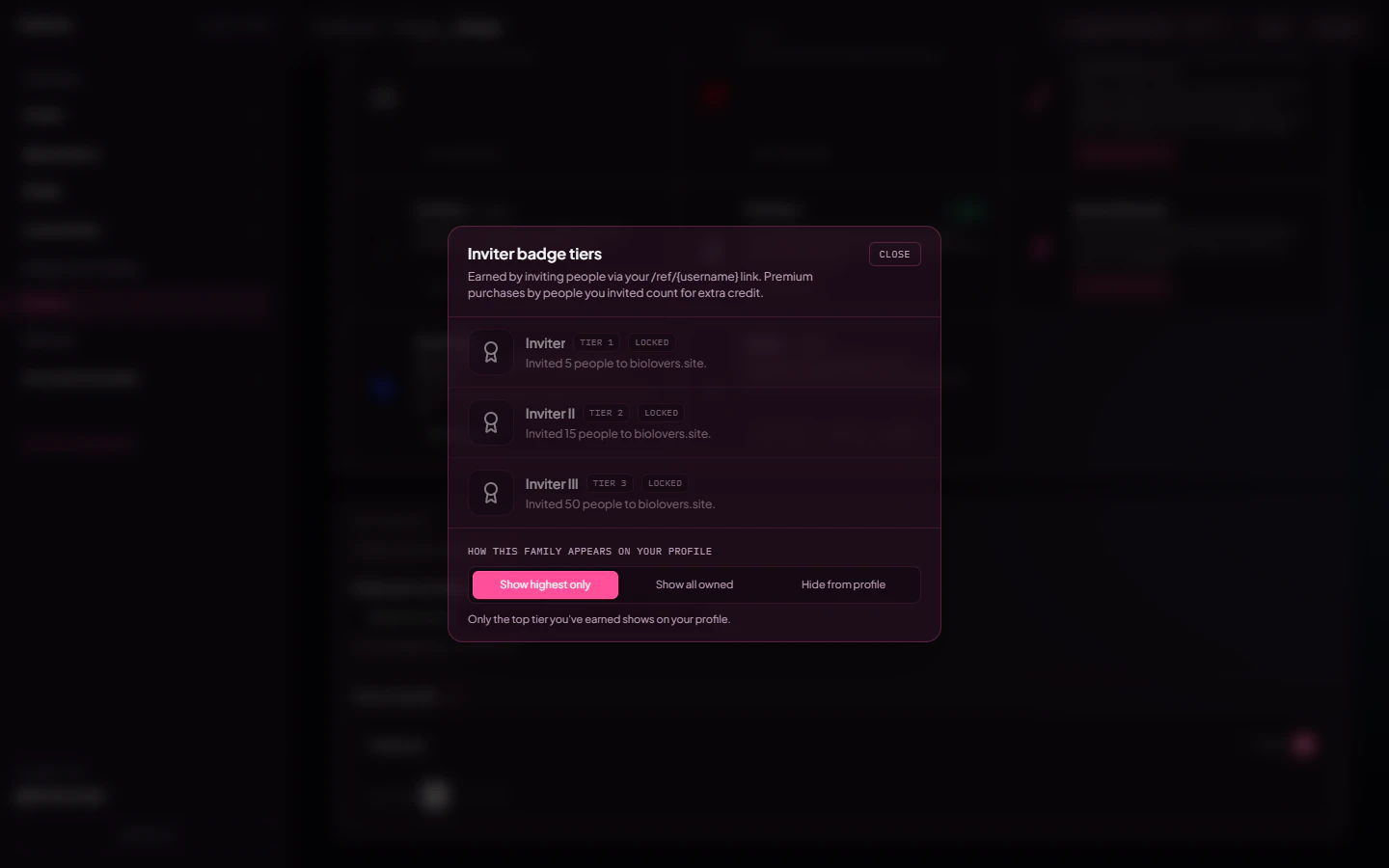 The footer of the modal has a **How this family appears on your profile** segmented control with three options:
* **Show highest only** *(default)* — only the top tier you own appears in your badge strip.
* **Show all owned** — every tier from I up to your highest displays as separate badges.
* **Hide from profile** — none of the tiers show on your profile (you keep them earned, they just don't render publicly).
The footer of the modal has a **How this family appears on your profile** segmented control with three options:
* **Show highest only** *(default)* — only the top tier you own appears in your badge strip.
* **Show all owned** — every tier from I up to your highest displays as separate badges.
* **Hide from profile** — none of the tiers show on your profile (you keep them earned, they just don't render publicly).
 The choice is per family, so you can show every Donator tier while keeping just the highest Inviter, or vice versa. Visitors to your public profile can also click any tiered badge to open a read-only version of the same modal so they can see the full ladder.
## Discord profile badges (separate)
Quest, Pomelo migration, Nitro flags, HypeSquad, etc. are **Discord** badges fetched from your linked Discord account. They render on the **Discord presence card** (when you've enabled "Show profile badges") — they are **not** site-level badges next to your display name.
## Bought separately
| Badge | How you get it |
| ----------------- | ------------------------------------------------------------------------------------------------------------------- |
| **Verified** | One-time **\$19.99** purchase. See [Verified](/premium/verified). Manually granted by staff on application instead. |
| **Custom badges** | Buy slots, upload your own images. See [Custom badges](/badges/custom-badges). |
## Where badges show
* **Next to your display name** on the public profile.
* **Inside the stats line** *(optional)* — toggle on the [Stats panel](/profile/stats-corner) to compact them onto the meta row.
* **Custom badges** appear after earned ones, in the order you set them in the panel.
## Order
Earned badges are sorted by the catalog's `sortOrder` first, then a default `SITE_BADGE_ORDER` (`owner` → `staff` → `donator` → `premium`). Custom badges follow.
## Hover text
Hover any badge to see its `description`. For custom badges this is the **Hover message** field you set when you uploaded the image (max 20 chars).
## Hide a badge
Toggle **Show on profile** off for any badge — it stays earned but disappears from the public page (`siteBadgesHidden` on the profile).
## Common questions
Check the **Show on profile** toggle for that badge in this panel. If it's on and still missing, sign out + sign back in to refresh your session.
The instant a payment lands. So if you donate $5 today and $5 tomorrow, the bronze badge appears the moment your lifetime crosses \$10.
No — it's based on **boosting the Biolovers Discord server**. Linking Discord without boosting doesn't grant it.
Yes — toggle **Show on profile** off for that badge. The badge stays earned, just doesn't appear publicly.
Those are **Discord** profile badges, shown on the Discord presence card (when "Show profile badges" is on). They aren't site badges next to your display name.
## Related
Upload your own badge images.
The blue checkmark.
The choice is per family, so you can show every Donator tier while keeping just the highest Inviter, or vice versa. Visitors to your public profile can also click any tiered badge to open a read-only version of the same modal so they can see the full ladder.
## Discord profile badges (separate)
Quest, Pomelo migration, Nitro flags, HypeSquad, etc. are **Discord** badges fetched from your linked Discord account. They render on the **Discord presence card** (when you've enabled "Show profile badges") — they are **not** site-level badges next to your display name.
## Bought separately
| Badge | How you get it |
| ----------------- | ------------------------------------------------------------------------------------------------------------------- |
| **Verified** | One-time **\$19.99** purchase. See [Verified](/premium/verified). Manually granted by staff on application instead. |
| **Custom badges** | Buy slots, upload your own images. See [Custom badges](/badges/custom-badges). |
## Where badges show
* **Next to your display name** on the public profile.
* **Inside the stats line** *(optional)* — toggle on the [Stats panel](/profile/stats-corner) to compact them onto the meta row.
* **Custom badges** appear after earned ones, in the order you set them in the panel.
## Order
Earned badges are sorted by the catalog's `sortOrder` first, then a default `SITE_BADGE_ORDER` (`owner` → `staff` → `donator` → `premium`). Custom badges follow.
## Hover text
Hover any badge to see its `description`. For custom badges this is the **Hover message** field you set when you uploaded the image (max 20 chars).
## Hide a badge
Toggle **Show on profile** off for any badge — it stays earned but disappears from the public page (`siteBadgesHidden` on the profile).
## Common questions
Check the **Show on profile** toggle for that badge in this panel. If it's on and still missing, sign out + sign back in to refresh your session.
The instant a payment lands. So if you donate $5 today and $5 tomorrow, the bronze badge appears the moment your lifetime crosses \$10.
No — it's based on **boosting the Biolovers Discord server**. Linking Discord without boosting doesn't grant it.
Yes — toggle **Show on profile** off for that badge. The badge stays earned, just doesn't appear publicly.
Those are **Discord** profile badges, shown on the Discord presence card (when "Show profile badges" is on). They aren't site badges next to your display name.
## Related
Upload your own badge images.
The blue checkmark.