> ## Documentation Index
> Fetch the complete documentation index at: https://help.biolovers.site/llms.txt
> Use this file to discover all available pages before exploring further.
# Two-step sign-in panel
> Turn 2FA on or off from inside the dashboard.
Page on the dashboard: dashboard.biolovers.site/dashboard/edit/account/two-factor
For the **how** and **why**, see [Two-step sign-in](/getting-started/two-factor) — the dedicated guide.
This page is just the panel reference.
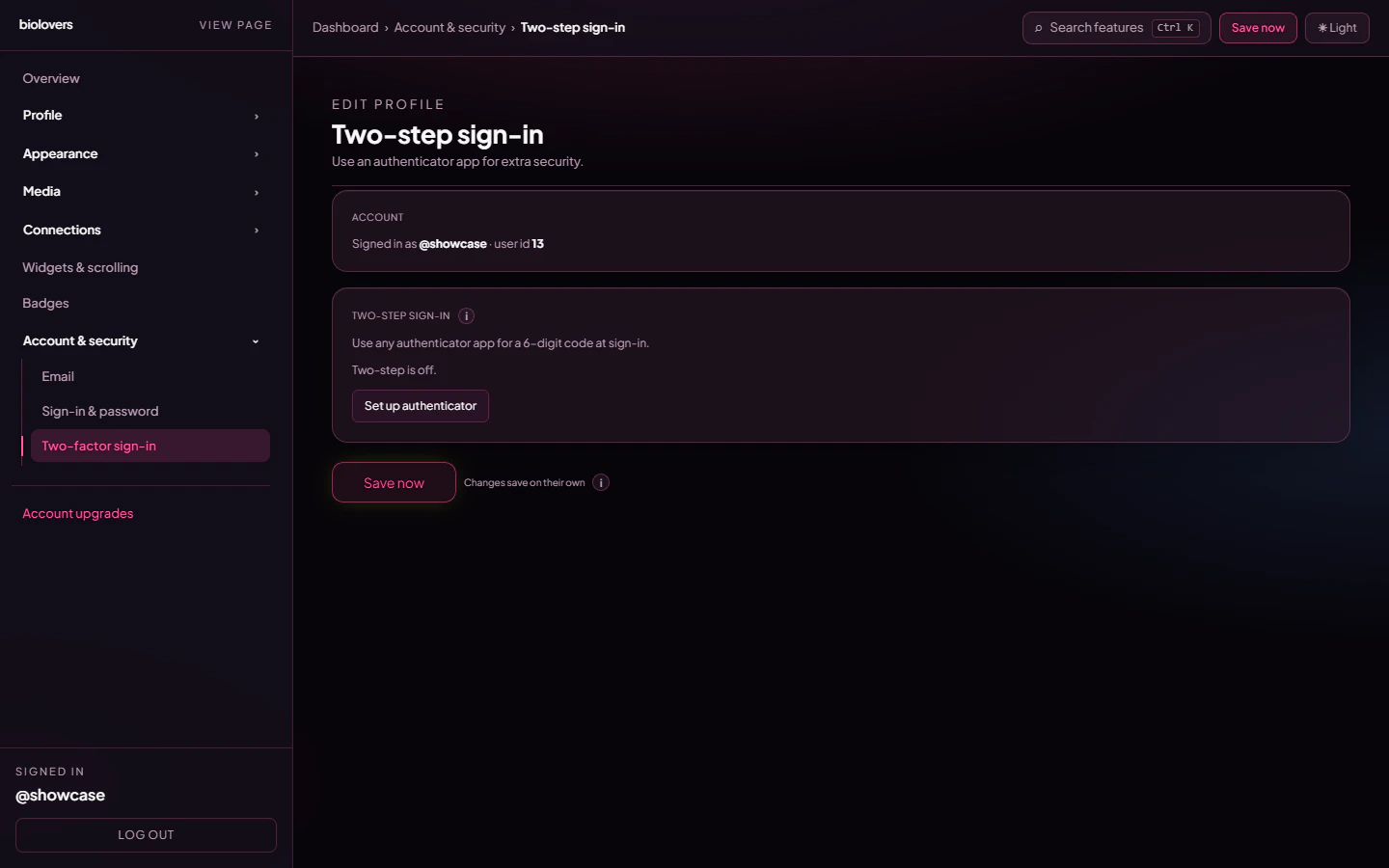 ## Two states
| State | What you see |
| ------- | ------------------------------------------------------------------------------------------ |
| **Off** | A **Set up authenticator** button. Tap it for a QR code + secret. |
| **On** | "Two-step is on." plus a **Password (to disable 2FA)** field and a **Disable 2FA** button. |
## Setting it up
The full step-by-step is in [Two-step sign-in](/getting-started/two-factor#turn-it-on-2-minutes). Confirmation button is **Confirm & enable**.
## Turning it off
Type your account password into **Password (to disable 2FA)** and tap **Disable 2FA**.
## Lost your authenticator app?
See [I lost my 2FA](/troubleshooting/lost-2fa).
## Two states
| State | What you see |
| ------- | ------------------------------------------------------------------------------------------ |
| **Off** | A **Set up authenticator** button. Tap it for a QR code + secret. |
| **On** | "Two-step is on." plus a **Password (to disable 2FA)** field and a **Disable 2FA** button. |
## Setting it up
The full step-by-step is in [Two-step sign-in](/getting-started/two-factor#turn-it-on-2-minutes). Confirmation button is **Confirm & enable**.
## Turning it off
Type your account password into **Password (to disable 2FA)** and tap **Disable 2FA**.
## Lost your authenticator app?
See [I lost my 2FA](/troubleshooting/lost-2fa).