> ## Documentation Index
> Fetch the complete documentation index at: https://help.biolovers.site/llms.txt
> Use this file to discover all available pages before exploring further.
# Password
> Change your password from inside the dashboard. Uses an emailed 6-digit code, not your old password.
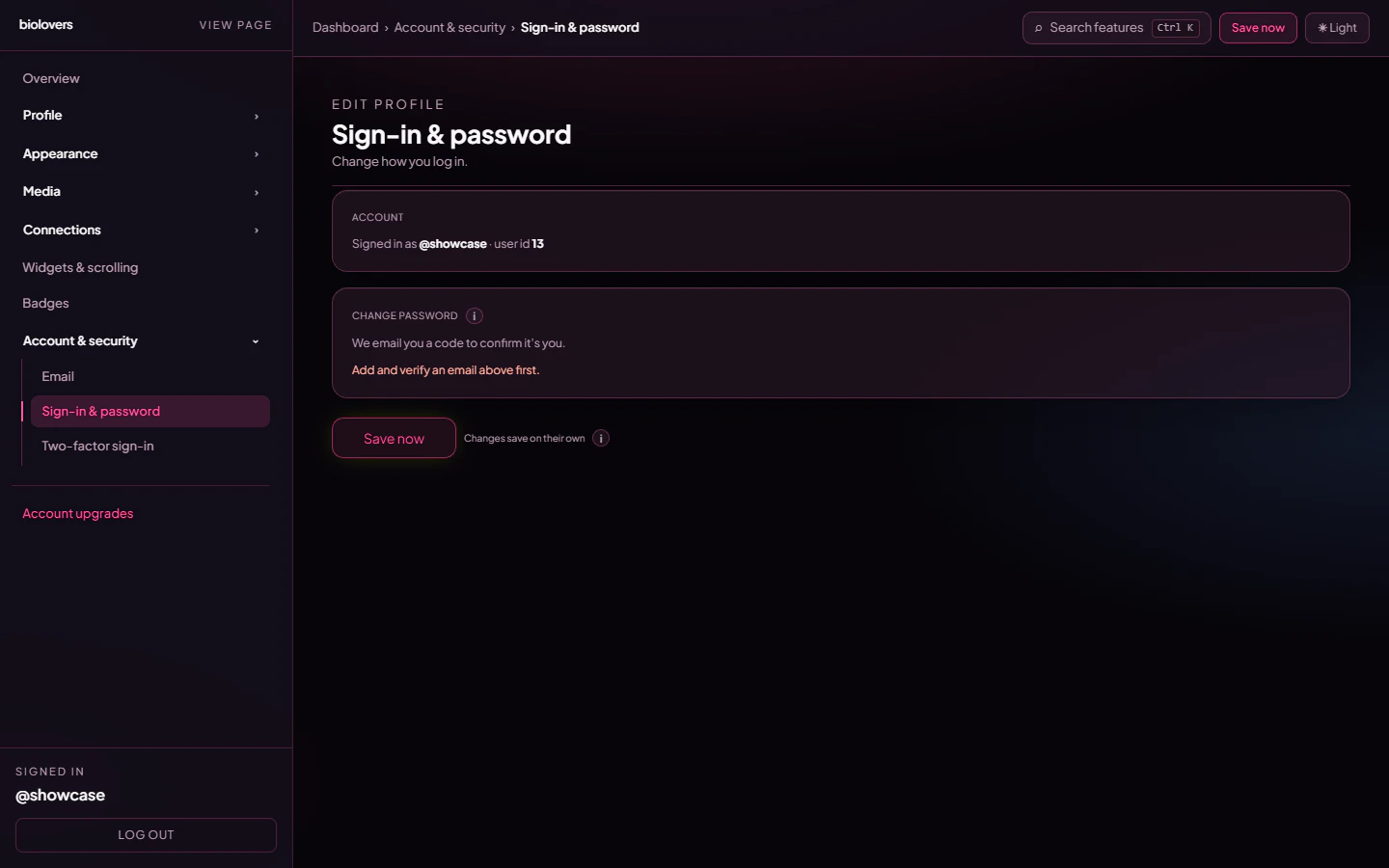
Page on the dashboard: change-password lives inside the **Account** group, in the same section as Sign-in settings (`Change password` heading, anchor `panel-account-signin`).
Change the password you signed up with — even if you don't remember the current one, as long as you have a verified email on the account.
 ## How it works
The dashboard does **not** ask for your current password. Instead it emails a 6-digit confirmation code to your **verified email** before letting you set a new one.
1. Tap **Send code to email**. We send a 6-digit code to the verified email on your account.
2. Open your inbox, copy the code, paste it into the panel.
3. Type a new password (twice).
4. Tap **Update password**.
You stay signed in on this device. Other tabs / devices keep their existing session — changing the password doesn't kick them out.
No verified email on the account? You can't change the password from inside the dashboard. Add an email first in the [Email panel](/account/email), or use the signed-out [Forgot password](/getting-started/forgot-password) flow (which also requires a verified email).
## Rules
* At least **8 characters**.
* Any printable character is fine — letters, numbers, symbols, emoji.
* Use a long passphrase or a password manager. Short pet-name passwords are everyone's first guess.
## Lost both your password and email
See [No email and forgot password](/troubleshooting/no-email-no-password). Short version: reach out via [Discord](https://biolovers.site/discord) or our [contact form](https://biolovers.site/contact), and only with proof of ownership.
## Common questions
Possession of the verified email proves the account is yours, so the dashboard skips the "type your old password" step. If your email is ever compromised separately, change it from the [Email panel](/account/email) before the next password change.
No. We only store a one-way hash. Even our database has no idea what your password actually is.
A 4-word random phrase like `prefer-dolphin-banner-7` is way better than `MyName123!`. Even better: a 16+ character random string from a password manager.
Not currently — changing the password keeps existing sessions valid. New sign-ins from now on need the new password.
## How it works
The dashboard does **not** ask for your current password. Instead it emails a 6-digit confirmation code to your **verified email** before letting you set a new one.
1. Tap **Send code to email**. We send a 6-digit code to the verified email on your account.
2. Open your inbox, copy the code, paste it into the panel.
3. Type a new password (twice).
4. Tap **Update password**.
You stay signed in on this device. Other tabs / devices keep their existing session — changing the password doesn't kick them out.
No verified email on the account? You can't change the password from inside the dashboard. Add an email first in the [Email panel](/account/email), or use the signed-out [Forgot password](/getting-started/forgot-password) flow (which also requires a verified email).
## Rules
* At least **8 characters**.
* Any printable character is fine — letters, numbers, symbols, emoji.
* Use a long passphrase or a password manager. Short pet-name passwords are everyone's first guess.
## Lost both your password and email
See [No email and forgot password](/troubleshooting/no-email-no-password). Short version: reach out via [Discord](https://biolovers.site/discord) or our [contact form](https://biolovers.site/contact), and only with proof of ownership.
## Common questions
Possession of the verified email proves the account is yours, so the dashboard skips the "type your old password" step. If your email is ever compromised separately, change it from the [Email panel](/account/email) before the next password change.
No. We only store a one-way hash. Even our database has no idea what your password actually is.
A 4-word random phrase like `prefer-dolphin-banner-7` is way better than `MyName123!`. Even better: a 16+ character random string from a password manager.
Not currently — changing the password keeps existing sessions valid. New sign-ins from now on need the new password.