> ## Documentation Index
> Fetch the complete documentation index at: https://help.biolovers.site/llms.txt
> Use this file to discover all available pages before exploring further.
# Email
> Add or change the email on your account. Used for password resets and purchase receipts.
Page on the dashboard: dashboard.biolovers.site/dashboard/edit/account/email
Your email is **optional** at signup but very recommended. It's used for:
* The self-serve [Forgot password](/getting-started/forgot-password) reset flow.
* Purchase receipts (Stripe + our branded receipt).
* Important account notices (account suspended, payment refunded).
* Email-based password change inside the dashboard (the change-password panel sends a 6-digit code).
We don't run marketing campaigns through this address.
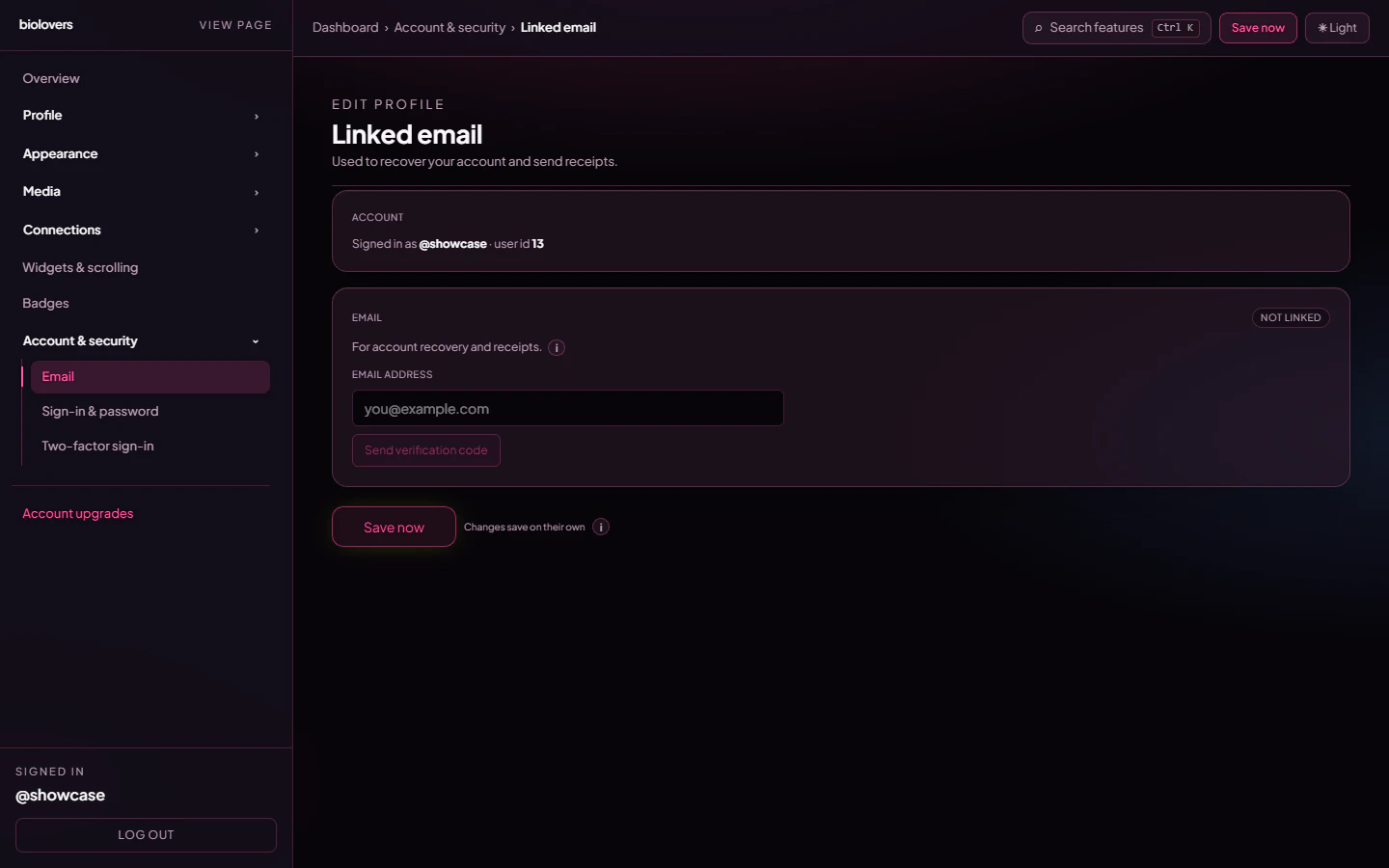 ## Add an email
1. Type the email in the input.
2. Tap **Send verification code**.
3. We send a **6-digit code** to that address.
4. Type the code into the panel and tap **Confirm code**.
After this your email shows with a green **Verified** label.
## Change an email
Same flow — type the new email, send a code, confirm. Your old email is replaced once the new one is verified.
## Didn't get the code?
* Check **Spam / Promotions / All Mail**.
* Tap **Resend** in the dashboard.
* Wait a minute — first sends sometimes get queued by mail providers.
* Codes expire after 15 minutes; just request a new one if it's stale.
If still nothing, the email might be blocked by your provider. Try a different one (Gmail / iCloud usually work fine).
## "Link a verified email before purchasing"
Some upgrades (Premium, Verified, Donate, Custom badges) **require** a verified email before checkout. Receipts have to go somewhere. If you see this banner on a checkout page, tap the link and finish email verification first.
With no email on the account, the [Forgot password](/getting-started/forgot-password) flow can't work — the only path back in if you also lose your password is reaching out via [Discord](https://biolovers.site/discord) or the [contact form](https://biolovers.site/contact) and proving the account is yours. See [No email and forgot password](/troubleshooting/no-email-no-password).
## Common questions
No — one verified email per account. Replacing it just overwrites the old one.
No, never. It's only used for account stuff.
Sign-in uses your **username**, not email. The email is for password resets and receipts.
Codes are valid for 15 minutes. Tap **Resend** to get a new one.
The dashboard doesn't expose a "Remove email" action — to drop it, replace it with a different verified email or open a ticket in our [Discord](https://biolovers.site/discord).
## Add an email
1. Type the email in the input.
2. Tap **Send verification code**.
3. We send a **6-digit code** to that address.
4. Type the code into the panel and tap **Confirm code**.
After this your email shows with a green **Verified** label.
## Change an email
Same flow — type the new email, send a code, confirm. Your old email is replaced once the new one is verified.
## Didn't get the code?
* Check **Spam / Promotions / All Mail**.
* Tap **Resend** in the dashboard.
* Wait a minute — first sends sometimes get queued by mail providers.
* Codes expire after 15 minutes; just request a new one if it's stale.
If still nothing, the email might be blocked by your provider. Try a different one (Gmail / iCloud usually work fine).
## "Link a verified email before purchasing"
Some upgrades (Premium, Verified, Donate, Custom badges) **require** a verified email before checkout. Receipts have to go somewhere. If you see this banner on a checkout page, tap the link and finish email verification first.
With no email on the account, the [Forgot password](/getting-started/forgot-password) flow can't work — the only path back in if you also lose your password is reaching out via [Discord](https://biolovers.site/discord) or the [contact form](https://biolovers.site/contact) and proving the account is yours. See [No email and forgot password](/troubleshooting/no-email-no-password).
## Common questions
No — one verified email per account. Replacing it just overwrites the old one.
No, never. It's only used for account stuff.
Sign-in uses your **username**, not email. The email is for password resets and receipts.
Codes are valid for 15 minutes. Tap **Resend** to get a new one.
The dashboard doesn't expose a "Remove email" action — to drop it, replace it with a different verified email or open a ticket in our [Discord](https://biolovers.site/discord).